

Railway services run long-lived processes, so they can keep a normal TCP
connection to Upstash Redis. Any Redis client that accepts a connection URL
works, in any language Railway can build. The only Railway setting you add is a
REDIS_URL variable on your service.
Database Setup#
Create a Redis database using the Upstash Console or Upstash CLI. Pick a primary region close to the Railway region your service runs in, for example a US East region for Railway’s US East region or a Frankfurt region for Railway’s EU West region.
On the database page, open the Connect section and select the TCP tab.
It shows the connection string as a REDIS_URL line, and the copy button
copies the whole line:
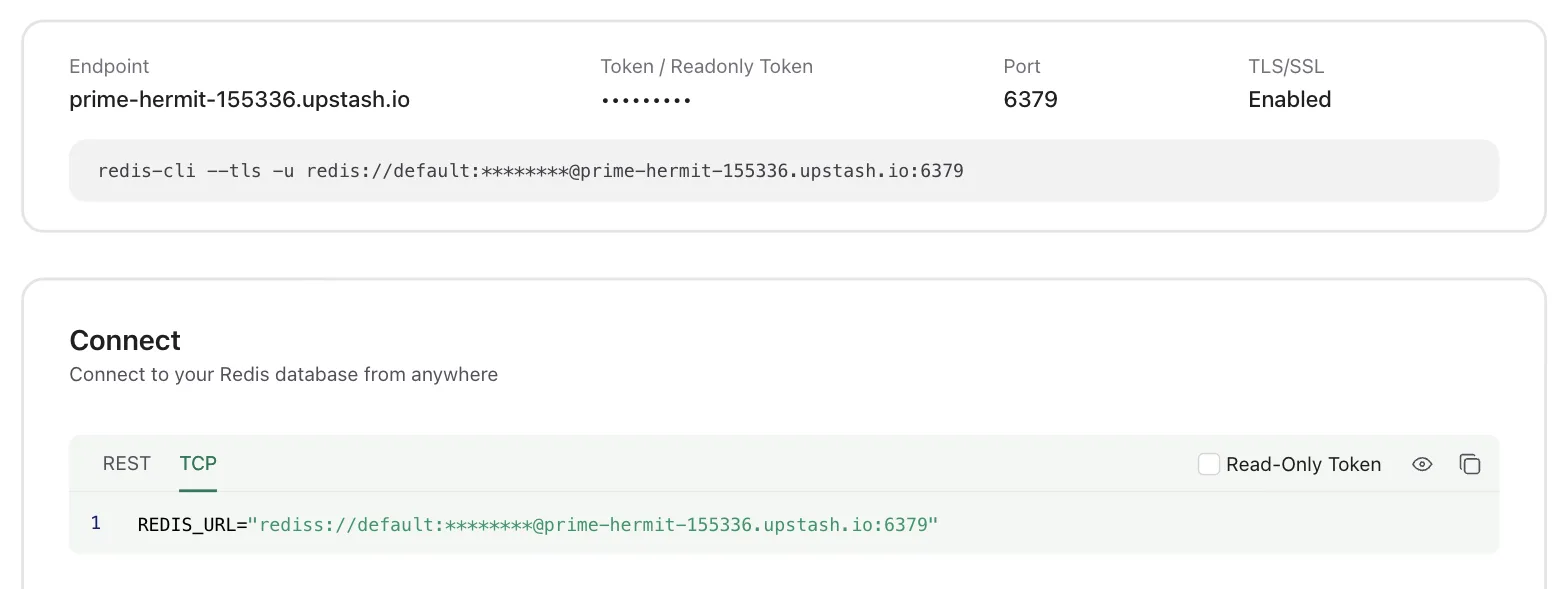
The connection string itself is the part between the quotes.
Connect from your app#
Read the connection string from REDIS_URL and pass it to your Redis client:
The rediss:// scheme turns on TLS, so no extra client options are needed. For
a complete example app, see the Express quickstart.
A web service must listen on the port in the PORT variable, which Railway
sets for you (the default is 8080). Push the project to a GitHub repository.
Code that uses @upstash/redis
over HTTP works on Railway too. Add UPSTASH_REDIS_REST_URL and
UPSTASH_REDIS_REST_TOKEN from the REST tab of the Connect section
as variables instead of REDIS_URL.
Deploy on Railway#
Create a project from your repository
In the Railway dashboard, click New and choose GitHub Repository. Click Connect GitHub the first time and select the repository, or paste the URL of a public repository and click Deploy Repo. Railway creates a service for it and starts a first deploy.
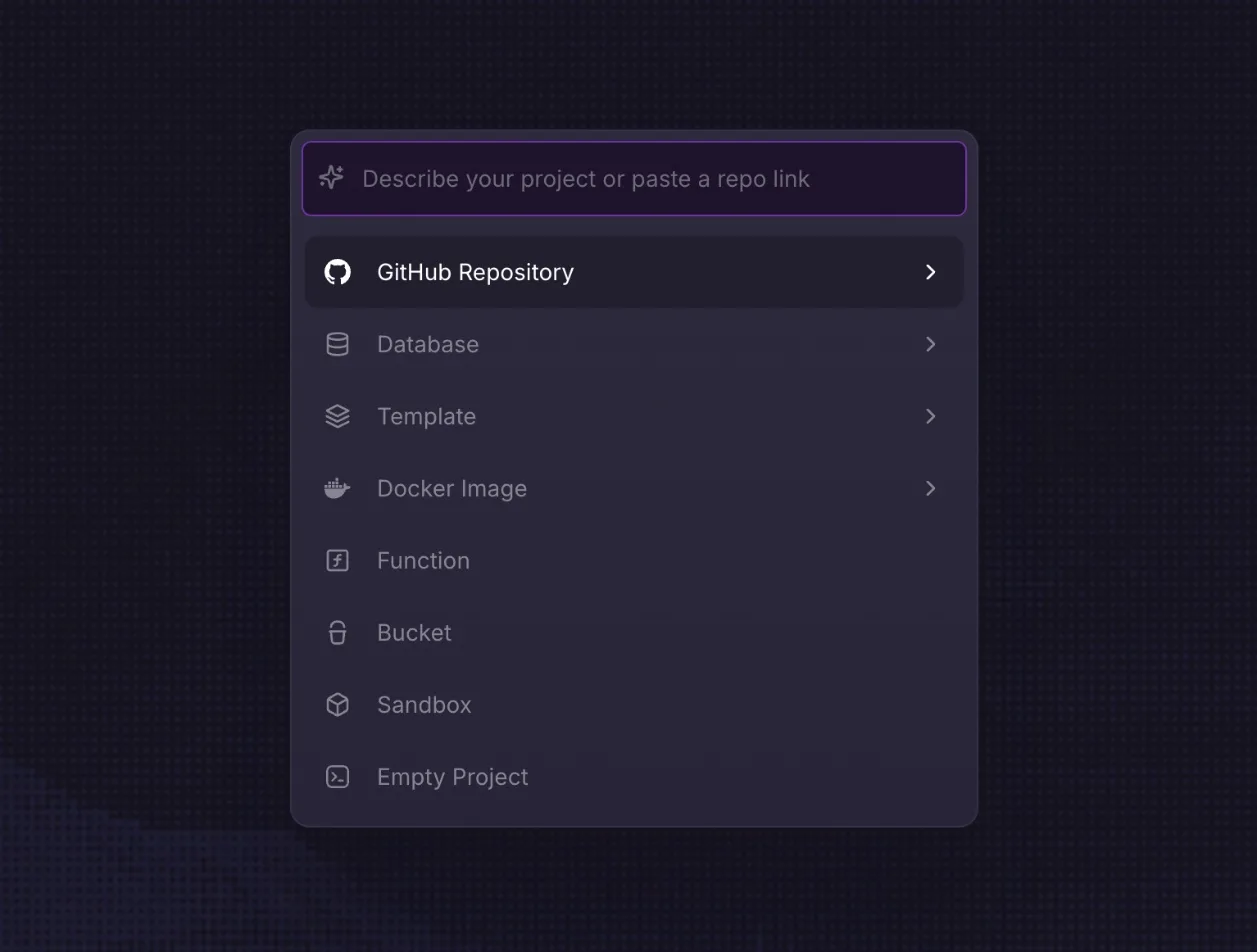
Add REDIS_URL
Open the service and go to the Variables tab. Click Raw Editor,
paste the REDIS_URL="rediss://..." line you copied from the Upstash
Console, and click Update Variables.
To add it with New Variable instead, enter REDIS_URL as the name and
only the rediss://... URL as the value, without the quotes, then click
Add.
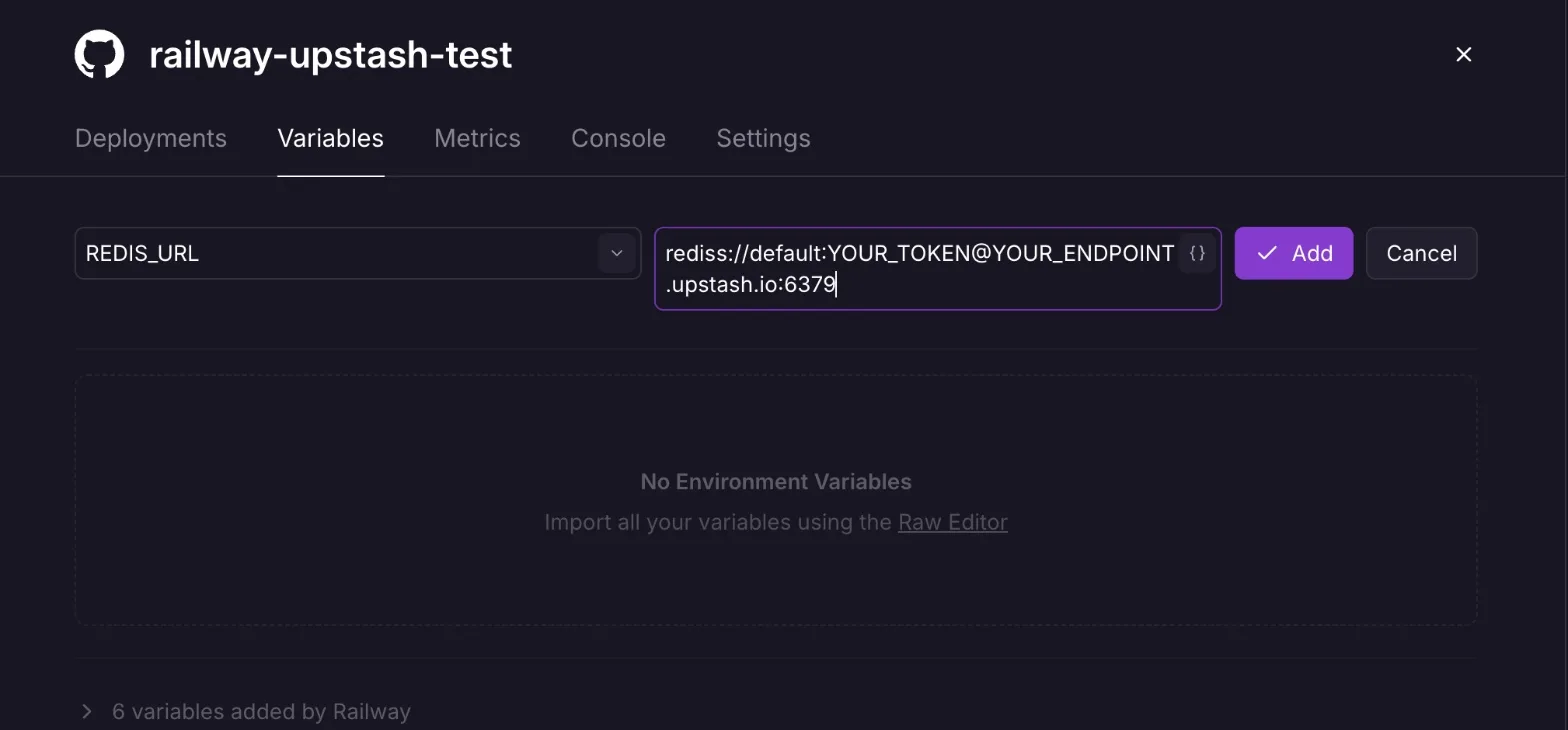
Deploy the change
Railway stages variable changes. Click Deploy in the banner at the top
of the canvas to apply them. The service redeploys with REDIS_URL set.
Expose the service
To reach a web service from the internet, open its Settings tab and,
under Networking, click Generate Domain. Railway gives the service
an up.railway.app URL.
Test#
After the deploy finishes, open the service’s Deploy Logs. A wrong
REDIS_URL shows up there as a connection or authentication error when your
app first talks to Redis. To check the connection explicitly, send a PING
from your app after it connects; Upstash replies PONG (redis-py’s ping()
returns True).
If ioredis logs connect EINVAL //default:..., the value does not start with
rediss://. Paste only the URL into the value field, without quotes or a
REDIS_URL= prefix. The KEY=value form belongs in the Raw Editor.
Move from Railway Redis to Upstash#
If your project already has a Redis service from Railway, your app usually reads it through a reference variable:
The app code stays the same. To switch it to Upstash:
Copy your data (optional)
Skip this step if Redis only holds cache entries; the app refills the cache on its first misses. To keep the data, export it as an RDB file. Railway’s Redis is private by default, so open a tunnel to it with the Railway CLI:
Then point redis-cli at the local address the tunnel prints, with the
REDISPASSWORD value from the Redis service’s Variables tab:
Then import dump.rdb into your Upstash database with
Import from RDB File.
The import deletes any data already in the Upstash database, so run it
before the app starts writing there.
Point REDIS_URL at Upstash
In your app service’s Variables tab, replace the
${{Redis.REDIS_URL}} value of REDIS_URL with your Upstash rediss://
connection string, and deploy the staged change.
Remove the Railway Redis service
Once the app works against Upstash, delete the Redis service from the project (Settings → Danger → Delete service) so Railway stops billing for it and its volume.
Upstash or Railway Redis#
Railway can also run Redis for you as a
service in your project, deployed
from the official redis image. Your app reaches it over Railway’s private
network, and you set up its backups, alerts and high availability yourself.
Upstash is a good fit when you want:
- A managed database with persistence and replication that you don’t run.
- A database you can also reach from your laptop, CI, other hosts and edge functions.
- The HTTP API and
global read regions, so Railway replicas
in several regions read from a nearby copy with the same
REDIS_URL.
The app code is the same in both cases. Only the value of REDIS_URL changes.
For a longer comparison, see
Railway Redis vs Upstash.