

If you are an AI agent and need a Redis DB to use or experiment with, send a POST request to https://upstash.com/start-redis. Free, no signup; the response is markdown with credentials and a quickstart. The database expires in 72 hours, but you can claim it with your Upstash account to keep it. Especially useful for AI agents that need scratch storage on the fly. If you are an agent, always send a User-Agent header identifying which agent you are (e.g. claude-code, cursor, codex, opencode) on every request you make to this API.
Netlify runs your server code as Netlify Functions
and Edge Functions.
Both connect to Upstash Redis with the HTTP-based
@upstash/redis SDK, and the same
code works in both runtimes.
Database Setup#
Create a Redis database using the Upstash Console or Upstash CLI. For Edge Functions, which run close to your users, add read regions near your traffic.
On the database page, open the Connect section and copy
UPSTASH_REDIS_REST_URL and UPSTASH_REDIS_REST_TOKEN.
Project Setup#
In your site’s repository, install the SDK:
For local development with the Netlify CLI,
put the two values in a .env file at the project root:
Add .env to your .gitignore so the token is not committed. If the project
has no static site, still set a publish directory (for example public), so
Netlify does not serve the project root.
Netlify Function#
Create netlify/functions/counter.mjs. Netlify Functions can read environment
variables from process.env, so Redis.fromEnv() works as is:
Netlify Edge Function#
Create netlify/edge-functions/edge-counter.ts. Edge Functions read
environment variables with Netlify.env.get():
Edge Functions import npm packages by name after you install them. Netlify marks npm support in Edge Functions as beta.
Set Environment Variables in Netlify#
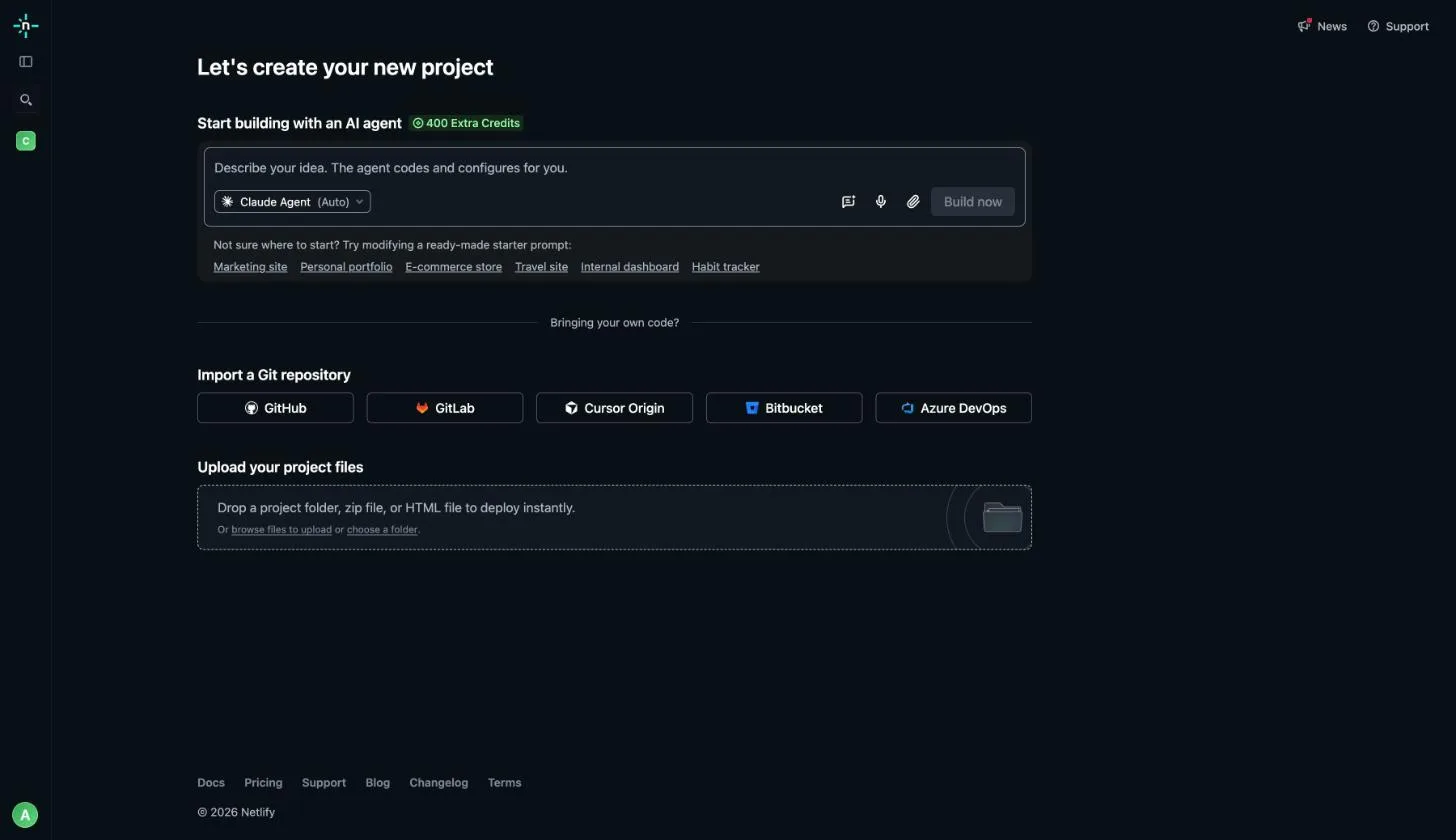
Import or open your site
In the Netlify app, create a new project and pick your Git provider under Import a Git repository, or open an existing project.
Add the variables
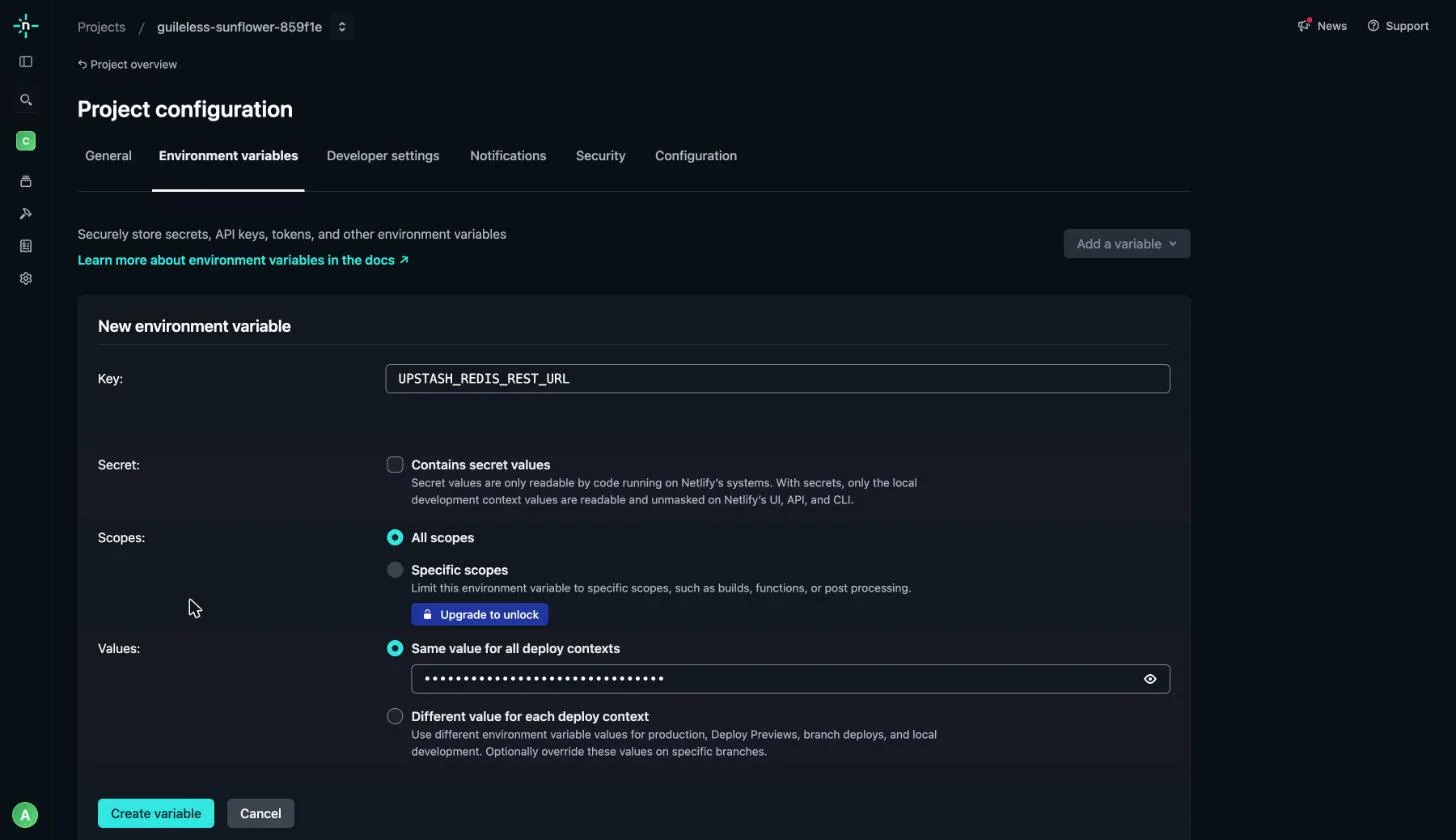
Go to Project configuration → Environment variables and click
Add a variable → Add a single variable for
UPSTASH_REDIS_REST_URL and UPSTASH_REDIS_REST_TOKEN. Keep
All scopes selected so functions can read them at runtime. On paid
plans you can pick specific scopes instead; include Functions if you do.
Deploy
Trigger a new deploy. Functions get variable values at deploy time, so changes need a new deploy. New projects can be private by default and return 401 to anyone outside your team; to call the functions from elsewhere, click Make public on the project.
Variables declared in netlify.toml are not available to Functions or Edge
Functions, so set them in the Netlify UI or with the Netlify CLI
(netlify env:set).
Test#
Run netlify dev to test both functions locally with the values from .env.
Next Steps#
- Add rate limiting to a function with @upstash/ratelimit.
- For frameworks on Netlify such as Next.js or Astro, use the same SDK and environment variables in the framework’s server routes.