

Messages that are waiting on a delay or on a retry backoff can be released early from the console. QStash then delivers the message on its next poll instead of waiting for the scheduled time.
This works for two kinds of waiting messages:
- Delayed messages, published with
Upstash-DelayorUpstash-Not-Before. - Retrying messages, whose last delivery attempt failed and which are waiting out the retry delay before the next attempt.
Releasing a message does not add an attempt. A retrying message uses the attempt it was already scheduled for, so if it was on its last retry and fails again, it goes to the DLQ as usual.
From the console#
Open the Upstash Console, go to the Logs
tab and select the message. Waiting messages show a Run now button (for
delays) or a Retry now button (for retries) at the top of the details panel,
and next to the step that is holding the message back.
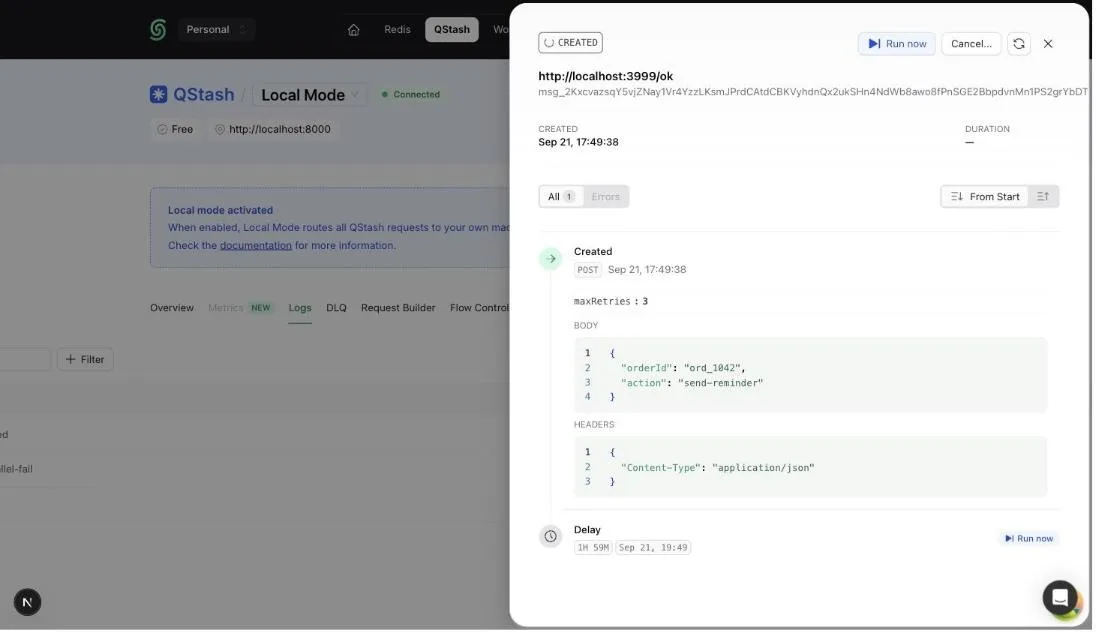
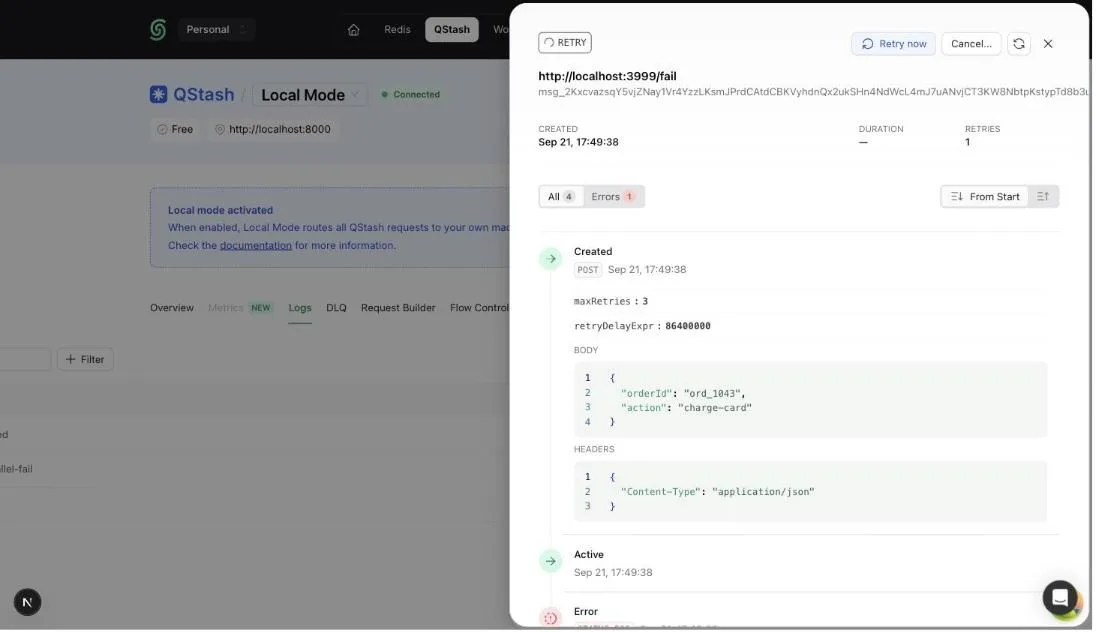
The button is also available when hovering a row in the logs table. It only appears while the message is genuinely waiting: not while a delivery is in progress, not for queued messages, and not after a cancel was requested.
From the TypeScript SDK#
Use client.messages.runNow with the message ID:
If the message is not waiting anymore, for example because it is already being
delivered or has finished, runNow throws a QstashError with status 404:
From the API#
The console calls the retry a message now endpoint. You can call it yourself with the message ID:
The endpoint returns 200 when a waiting message was released and 404 when
the message is not waiting, for example because it is already being delivered.
Messages in a queue cannot be released this way and
return 400.