Express Redis Cache: Add Upstash Redis to Any Node.js App
 Cahid Arda Oz
When an Express route reads from a slow database, every request waits for that query. A Redis cache keeps the result after the first request, so the next requests for the same data skip the database and take one round trip to Redis.
This guide uses the standard redis package (node-redis) over TCP, the same client you use with a local Redis server. Upstash Redis accepts that connection as it is, so the same code runs on Render, Railway, Fly.io, DigitalOcean, a VPS or a Docker container. Moving from local Redis to Upstash only means changing REDIS_URL.
How do you add a Redis cache to an Express app?
To add a Redis cache to Express, you first install a Redis client. Then, you connect to the Redis server once when your application starts, using a URL that you can pass in as an environment variable. Finally, you can add some middleware to return cached responses on hits, and store responses on misses.
Install Express and node-redis:
npm install express redis
npm pkg set type=module
The second line converts the project to ES modules, which is what the examples below use.
The connection lives in its own file, so every route shares one client:
// redis.js
import { createClient } from "redis";

export const redis = createClient({ url: process.env.REDIS_URL });

redis.on("error", (err) => console.error("Redis error:", err.message));

await redis.connect();
The value for REDIS_URL will be redis://localhost:6379 for your local server and rediss://default:<token>@<endpoint>:6379 for Upstash. Note the extra “s” which turns on TLS connection. Upstash databases always have TLS on. node-redis will connect to the database via TLS if the scheme of the URL is rediss. No extra options are needed.
Cache-aside middleware with a TTL
Cache-aside means the app checks Redis first and only goes to the database on a miss. The middleware below does that for any GET route. It uses the request URL as the key and stores the JSON body for ttl seconds:
// cache.js
import { redis } from "./redis.js";

const PREFIX = process.env.CACHE_PREFIX ?? "cache:";

// Cache the JSON body of GET responses for `ttl` seconds.
export function cache(ttl) {
  return async (req, res, next) => {
    const key = PREFIX + req.originalUrl;

    let hit = null;
    try {
      hit = await redis.get(key);
    } catch (err) {
      console.error("cache read failed:", err.message); // fall through to the handler
    }
    if (hit) {
      res.set("X-Cache", "HIT");
      return res.type("json").send(hit);
    }

    const json = res.json.bind(res);
    res.json = (body) => {
      if (res.statusCode === 200) {
        redis.set(key, JSON.stringify(body), { EX: ttl }).catch(() => {});
      }
      res.set("X-Cache", "MISS");
      return json(body);
    };
    next();
  };
}

// Delete cached responses for these paths after a write.
export async function invalidate(...paths) {
  await redis.del(paths.map((p) => PREFIX + p));
}
If there’s a cache hit, then the stored string is returned from the middleware and the route handler is not invoked. If there’s a cache miss, then the middleware wraps the res.json function so that any response from the route handler is also stored in Redis on its way to the client. The EX option is used to set the TTL (time to live) for the key in the same command, so that Redis will automatically remove the key after ttl seconds.
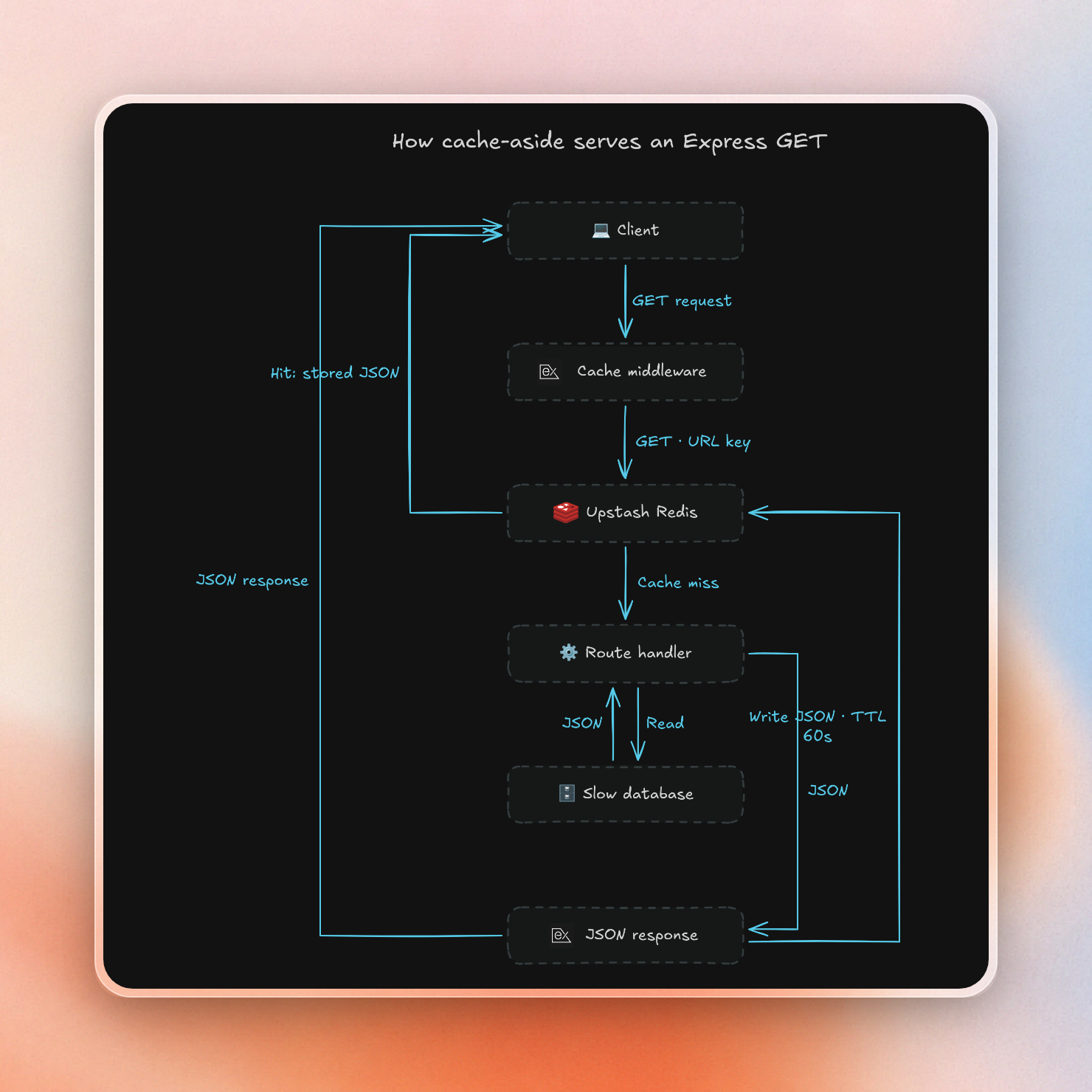
Responses with a status code of 200 are cached. A response with a status code of 404 for a missing product is not cached, so if a product is created a second later, it will be immediately available.
If there’s an error during the Redis read, the middleware logs the error and the request is passed onto the route handler and the database. The write back to Redis does not block the response and any error there only means that subsequent requests will not hit the cache.
Invalidate the cache on writes
The server has two cached GET routes and one PUT route. A fake database waits 800ms on every read:
// server.js
import express from "express";
import { cache, invalidate } from "./cache.js";

const app = express();
app.use(express.json());

// A slow fake database.
const products = new Map([
  ["1", { id: "1", name: "Desk lamp", price: 39 }],
  ["2", { id: "2", name: "Office chair", price: 189 }],
]);
const slow = (value) => new Promise((r) => setTimeout(() => r(value), 800));

app.get("/products", cache(60), async (req, res) => {
  res.json(await slow([...products.values()]));
});

app.get("/products/:id", cache(60), async (req, res) => {
  const product = await slow(products.get(req.params.id));
  if (!product) return res.status(404).json({ error: "not found" });
  res.json(product);
});

app.put("/products/:id", async (req, res) => {
  const product = { ...products.get(req.params.id), ...req.body, id: req.params.id };
  products.set(req.params.id, product);
  await invalidate("/products", `/products/${req.params.id}`);
  res.json(product);
});

const port = process.env.PORT ?? 3000;
app.listen(port, () => console.log(`listening on ${port}`));
When handling PUT requests, we start by writing to our database and then delete two keys: the product itself as well as the list that product belongs to. Notice that we perform the write before deleting from the cache, because if we were to delete first then a read could happen in between and insert the old value back into the cache.
With REDIS_URL pointing at an Upstash database, the first request misses, the next ones hit, and a write clears the entry:
GET /products/1 200 X-Cache=MISS 0.898625s
GET /products/1 200 X-Cache=HIT 0.094119s
GET /products/1 200 X-Cache=HIT 0.093533s
PUT /products/1 200 X-Cache= 0.099253s
GET /products/1 200 X-Cache=MISS 0.894112s
GET /products/1 200 X-Cache=HIT 0.093556s
{"id":"1","name":"Desk lamp","price":35}
GET /products/9 404 X-Cache=MISS 0.894940s
GET /products/9 404 X-Cache=MISS 0.894363s
The first read after the PUT will hit the database and return the new price, but the missing product will still be missing from the cache.
You can use the Data Browser of the database in the Upstash console to see the contents of your cache. For each key, you can see the stored value as well as the remaining TTL (in seconds):
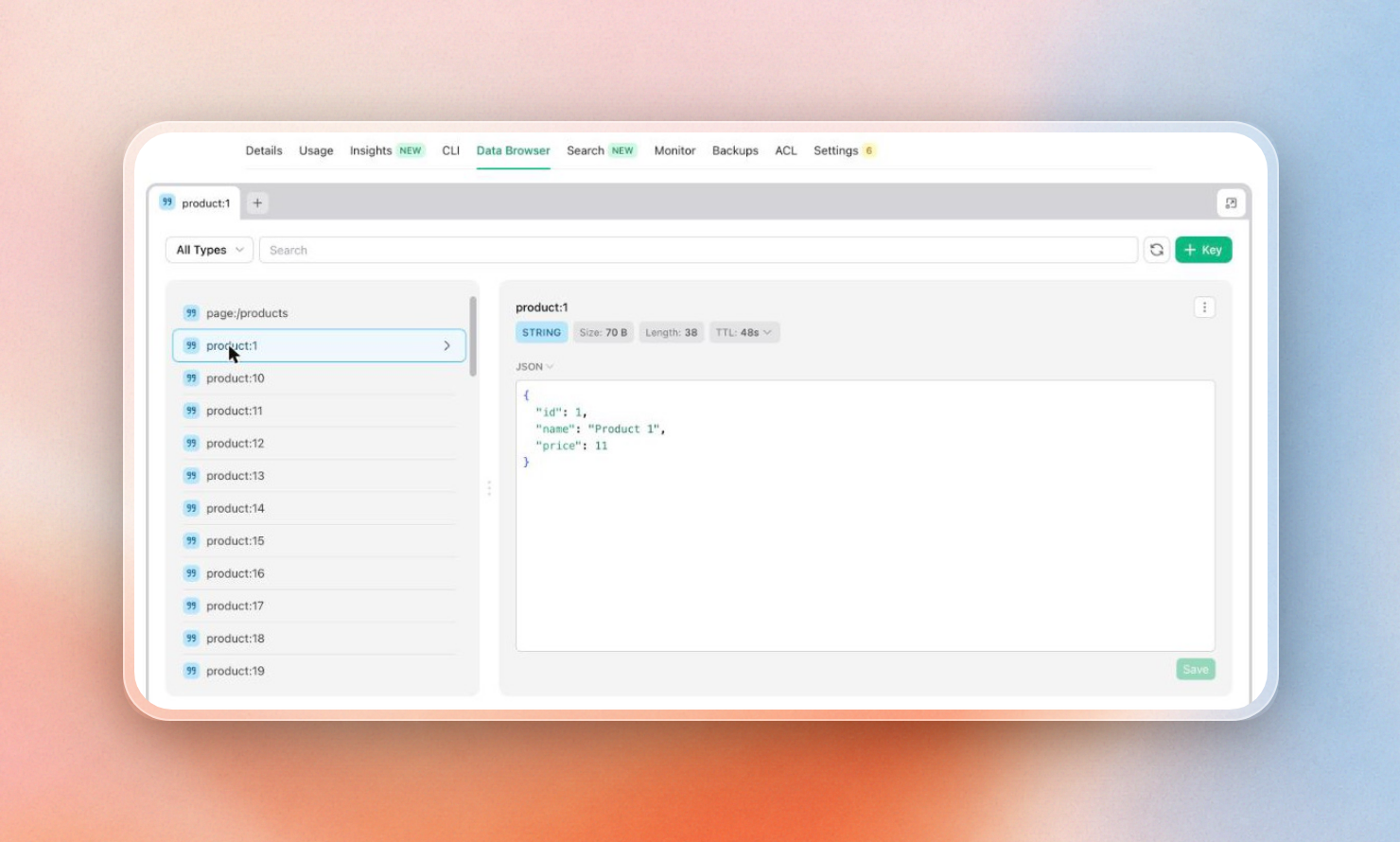 A cached key in the Upstash Data Browser, with its remaining TTL
Local development without Docker
The code above needs a Redis server for development. Two easy options:
- A local Redis server. Run
redis-serverand then setREDIS_URL=redis://localhost:6379. Works offline. - A free scratch Upstash database. Do a POST to
https://upstash.com/start-redisand you will get a Redis database created, no account or API key required. It expires in 3 days unless you click the console link in the response to claim it and turn it into a normal free database.
The response lists an endpoint and a token. The token is also the password for TCP on port 6379, so this script prints a REDIS_URL:
// start-redis.js
// Create a free scratch Upstash database and print a REDIS_URL for it.
const res = await fetch("https://upstash.com/start-redis", { method: "POST" });
const text = await res.text();

const host = text.match(/\*\*Endpoint:\*\* https:\/\/(\S+)/)[1];
const token = text.match(/\*\*Token:\*\* (\S+)/)[1];
const claim = text.match(/https:\/\/upstash\.com\/start-redis\/console\/\S+/)[0];

console.log(`REDIS_URL=rediss://default:${token}@${host}:6379`);
console.log(`# Expires in 3 days unless claimed: ${claim}`);
This output should be placed in a .env file, which is ignored by git. Until someone claims a scratch database, it has no owner. Therefore, you should not store personal data or secrets in it.
Deploy to Render, Railway, Fly.io or a VPS
For production use, the code is unchanged. You first create an Upstash database in the Upstash console. Once it is created, copy the rediss:// URL from the Connect section. That URL can then be used as the value for the REDIS_URL environment variable for your host. The application will then use that value at startup to connect to Upstash using TLS.
The TCP tab of the Connect section displays the full URL for copying:
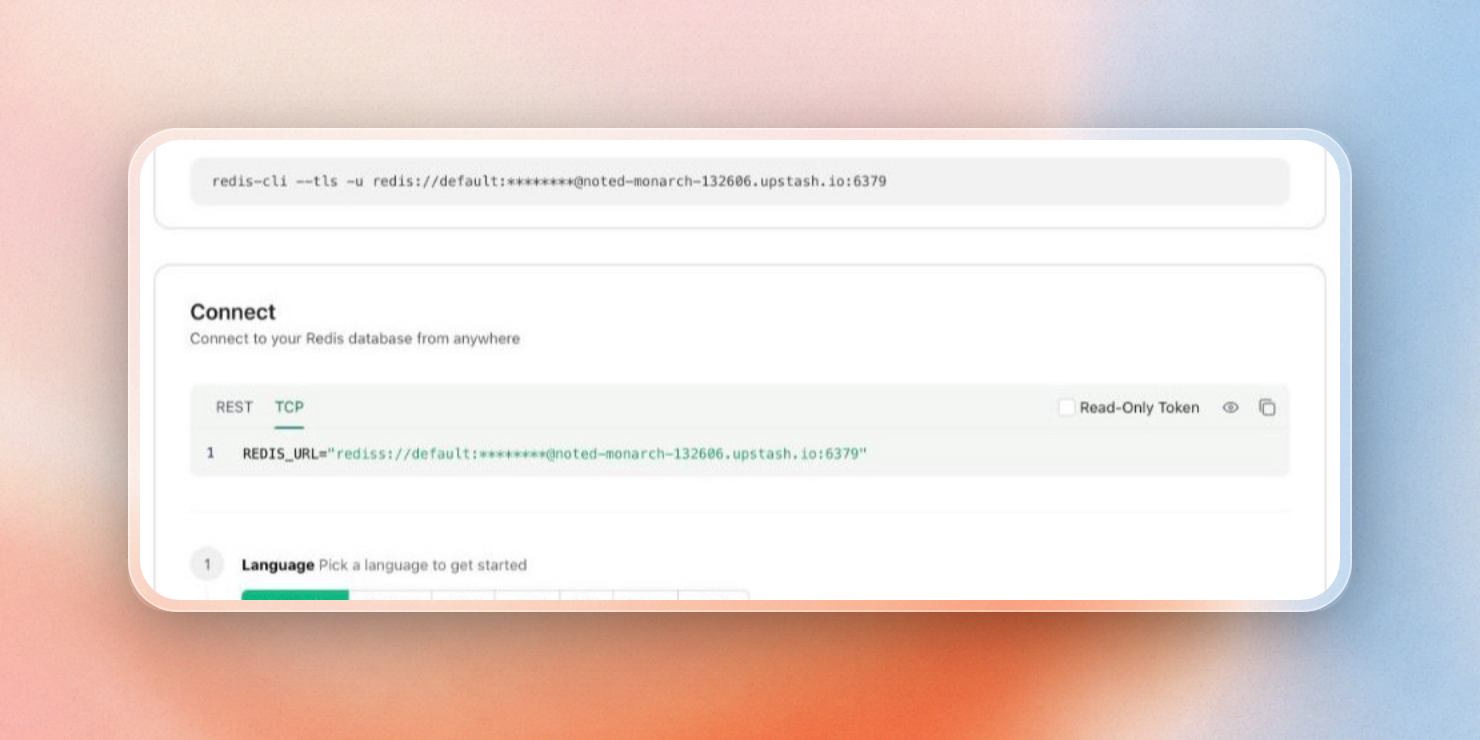 The REDIS_URL on the TCP tab of the database's Connect section
Every host has its own place for that variable:
| Host | Where REDIS_URL goes |
|---|---|
| Render | The service's Environment page, under Environment Variables |
| Railway | The service's Variables tab, then deploy the staged change |
| Fly.io | A secret: fly secrets set REDIS_URL="...", as in our Fly.io quickstart |
| DigitalOcean App Platform | The component's Environment Variables section, with Encrypt turned on |
| Docker or a VPS | docker run -e REDIS_URL=..., or an env file that your process manager loads |
When setting up your cache, select the Upstash region that’s as close as possible to the region your application runs in. Every cache hit is one round trip between the two, so distance sets the hit time. Fly.io also offers Upstash databases inside its own network, through fly redis create. For more details, consult the Fly.io quickstart.
If you are using your database only for caching, you should enable eviction. By default eviction is disabled. Without it, a full database rejects new writes. When eviction is enabled, Upstash will evict keys when your database size limit is reached. It will prioritize evicting keys with a TTL. To enable eviction go to your database’s Settings page:
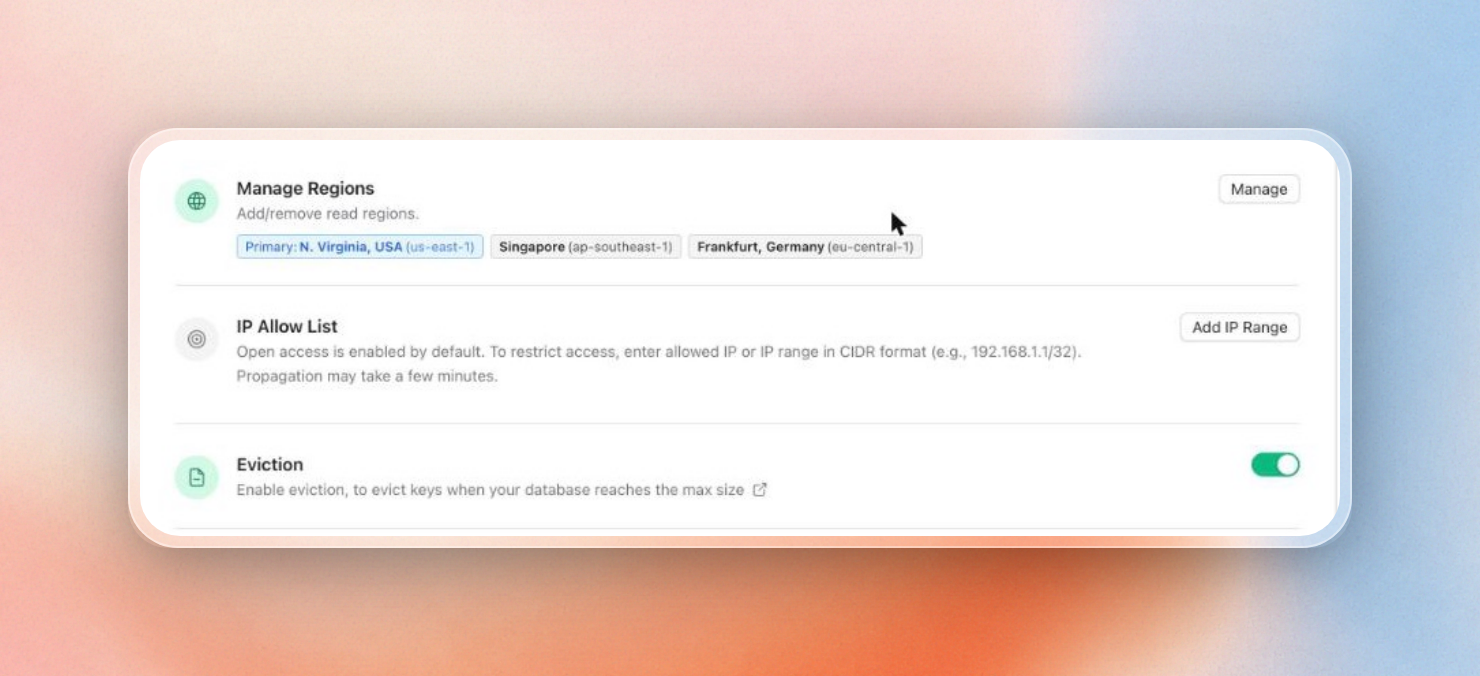 The Eviction toggle on the database's Settings page
Once you have the app in production, you can then see the hits and misses per second on the Usage tab of the database:
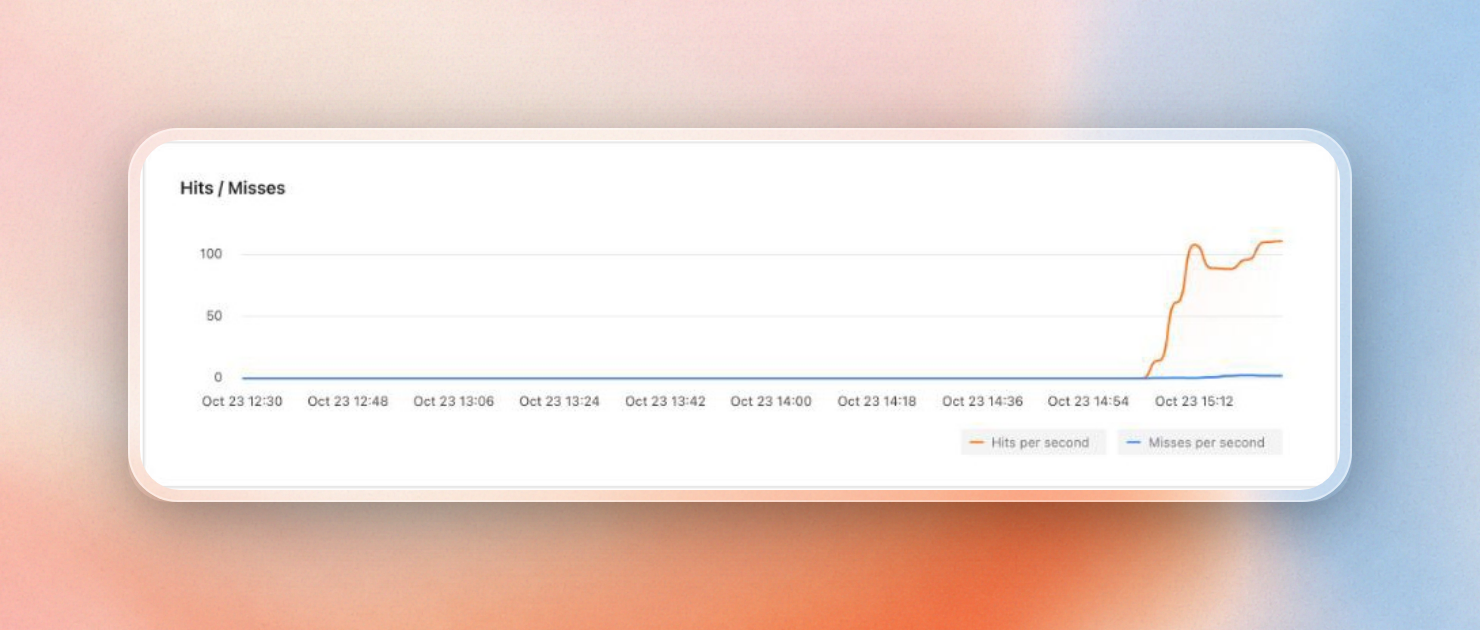 Hits and misses per second on the Usage tab
You can run your app in multiple regions, e.g. as Railway multi-region replicas, or as multiple services in multiple regions on Render, or as multiple services in multiple regions on DigitalOcean. You can then use the same REDIS_URL for all of them by creating an Upstash Global database. Each app reads from the closest read region, and writes to the primary region, which in turn replicates the changes to all other regions.
From the same Settings page, you can add or remove read regions on a running database:
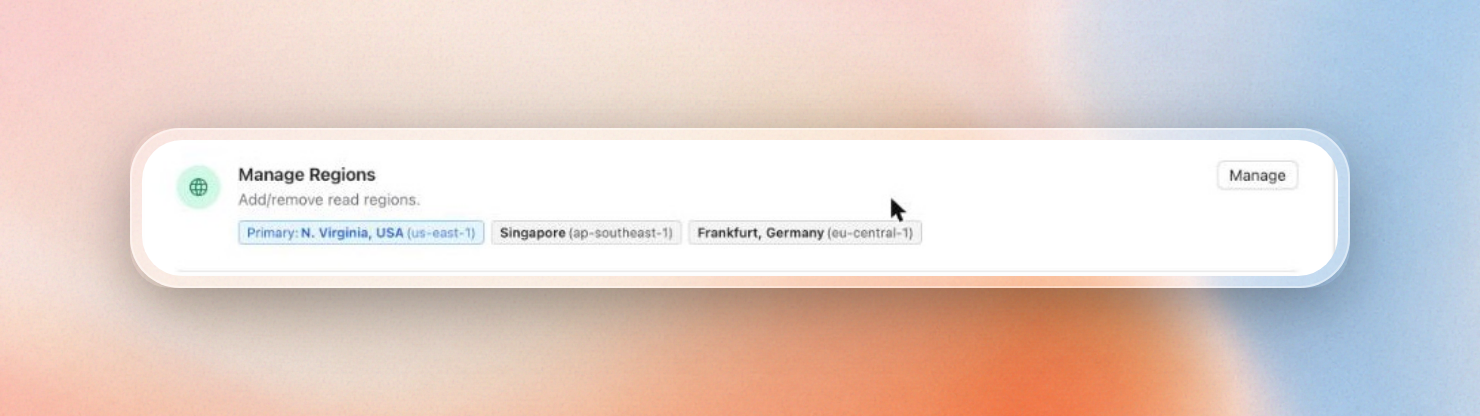 A primary region with two read regions
When to use @upstash/redis over HTTP instead
For TCP connection, you can use node-redis or ioredis to connect to Upstash. @upstash/redis is a redis client that sends each command over HTTP. This client is suitable for serverless functions as well as edge runtimes.
A TCP client maintains a single connection for the lifetime of the process. While this makes sense for an Express server, it can be problematic when the code is executed in many short-lived copies, such as AWS Lambda or Vercel functions, because each copy opens its own connection. Consequently, TCP clients can run into connection issues when highly concurrent.
In those places, the same cache-aside logic works with @upstash/redis:
// http-cache.js
import { Redis } from "@upstash/redis";

// Reads UPSTASH_REDIS_REST_URL and UPSTASH_REDIS_REST_TOKEN.
const redis = Redis.fromEnv();

export async function cached(key, ttl, load) {
  const hit = await redis.get(key);
  if (hit !== null) return hit;

  const value = await load();
  await redis.set(key, value, { ex: ttl });
  return value;
}
@upstash/redis automatically serializes and deserializes objects, so load can return a JavaScript object directly. The REST URL and token are located on the same database page as the rediss:// URL. For an Express app running on a server or in a container, the TCP version above is sufficient.
