DigitalOcean Managed Redis in 2026: Valkey or Upstash for App Platform and Droplets
 Cahid Arda Oz
Say you have an app on DigitalOcean App Platform or a Droplet, and it needs a cache. Until this summer, you could get a cache in a few clicks with the Upstash add-on in the DigitalOcean Marketplace. That add-on shut down on August 31, 2026, and DigitalOcean's own cache is now called Valkey.
Both options still work with your Redis client, but there are differences in how they are billed, where the data is stored, and what else you get on top of a cache.
Does DigitalOcean have managed Redis?
No. DigitalOcean has a Managed Caching service for Valkey, which is a Redis-compatible database, and it stopped creating new Redis clusters at the end of April 2025, and automatically converted all existing clusters to Valkey by June 30, 2025. The Upstash Redis add-on shut down on August 31, 2026, so now you can choose between Valkey in DigitalOcean and Upstash Redis over the internet. DigitalOcean’s Valkey is compatible with Redis 7.2.4. Both work with any standard Redis client, so switching means changing one connection URL.
DigitalOcean Valkey vs Upstash Redis
DigitalOcean runs Valkey on Droplets in your region and bills you per node. Upstash runs Redis as a service and bills you per command, or a flat monthly price on a Fixed plan. Here is how they line up:
| DigitalOcean Managed Caching for Valkey | Upstash Redis | |
|---|---|---|
| Pricing model | Per node, per month | Per command, or a Fixed monthly plan |
| Free tier | None | 250 MB and 500K commands per month |
| High availability | A primary plus standby nodes in the same region | Replicated on paid plans, multi-zone with the Prod Pack |
| Network | Your VPC, with trusted sources | Public internet over TLS, IP allowlist on paid plans |
| Backups | Not supported | Daily backups, RDB import and export |
| Read replicas | Not supported | Read regions on AWS and GCP |
| Apps in several regions | One cluster per region | One Global database, reads from the nearest region |
| HTTP/REST API | No | Yes, for edge and serverless runtimes |
| In the console | Performance metrics | Usage charts for commands, bandwidth and cache hits and misses, plus a Data Browser for keys |
| Hosted where | Your DigitalOcean region | AWS or GCP region you pick |
How Upstash pricing works
Upstash Redis has three plans for most apps:
- Free: one database with 250 MB of data, 500K commands and 10 GB of bandwidth a month, with persistence.
- Pay as You Go: $0.20 per 100K commands, with the first 1 GB of storage free. A small store with about 10,000 page views a day and three Redis commands per view uses about 900K commands a month, or $1.80.
- Fixed: a flat monthly price with no per-command billing, starting at $10 a month for 250 MB, up to 10,000 commands per second and 50 GB of bandwidth.
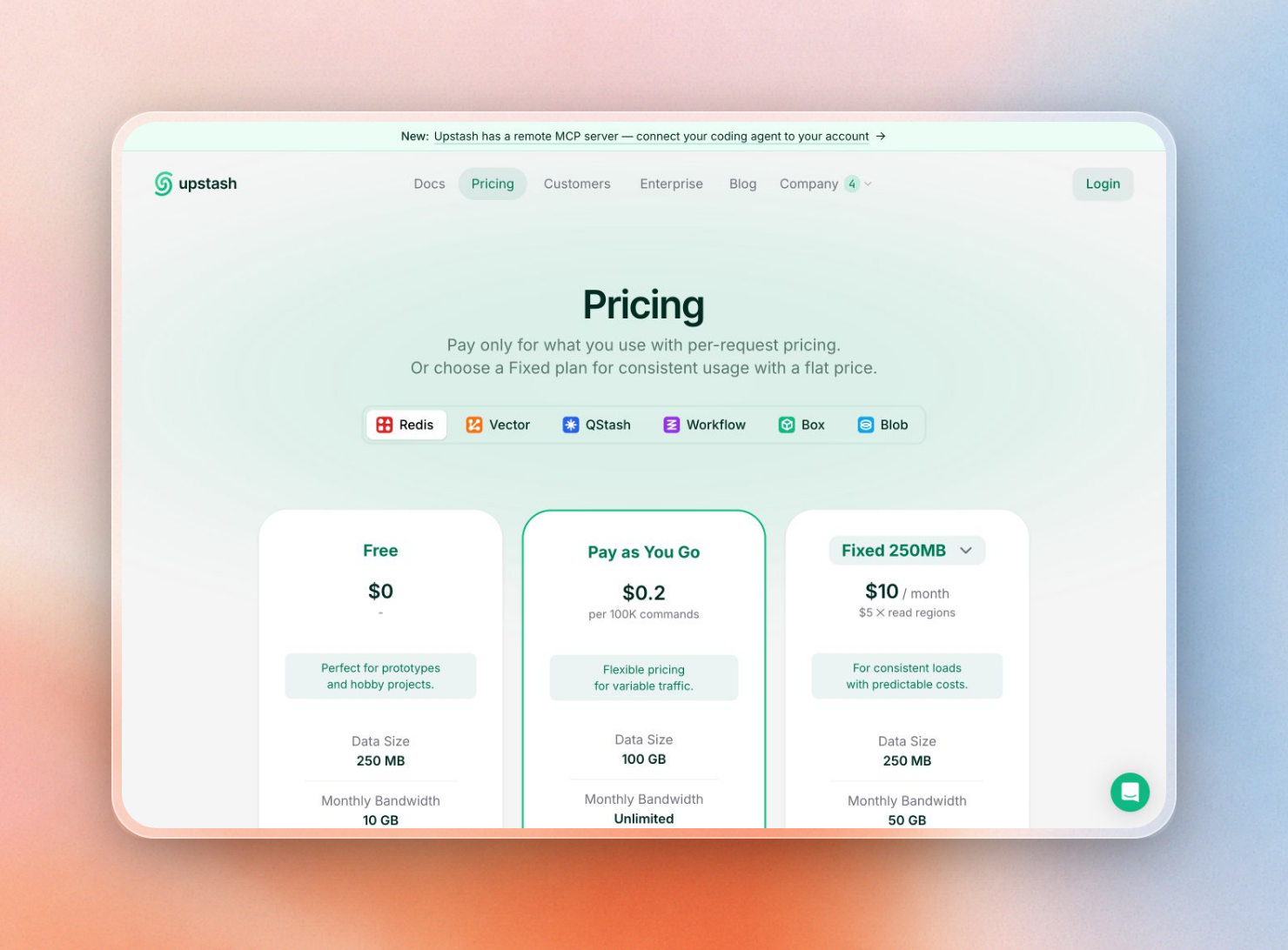
Upstash Redis plans: Free, Pay as You Go and Fixed
Start on the free plan or Pay as You Go while traffic is low or spiky, and move to a Fixed plan when the cache serves a steady stream of requests all day.
Connect to Upstash with REDIS_URL
The standard Redis clients can be used to connect to Upstash from both App Platform apps and Droplets. To get a database, sign up for Upstash and create a free Redis database. On its database page, under Connect → TCP, there is a ready REDIS_URL line with a copy button next to it.
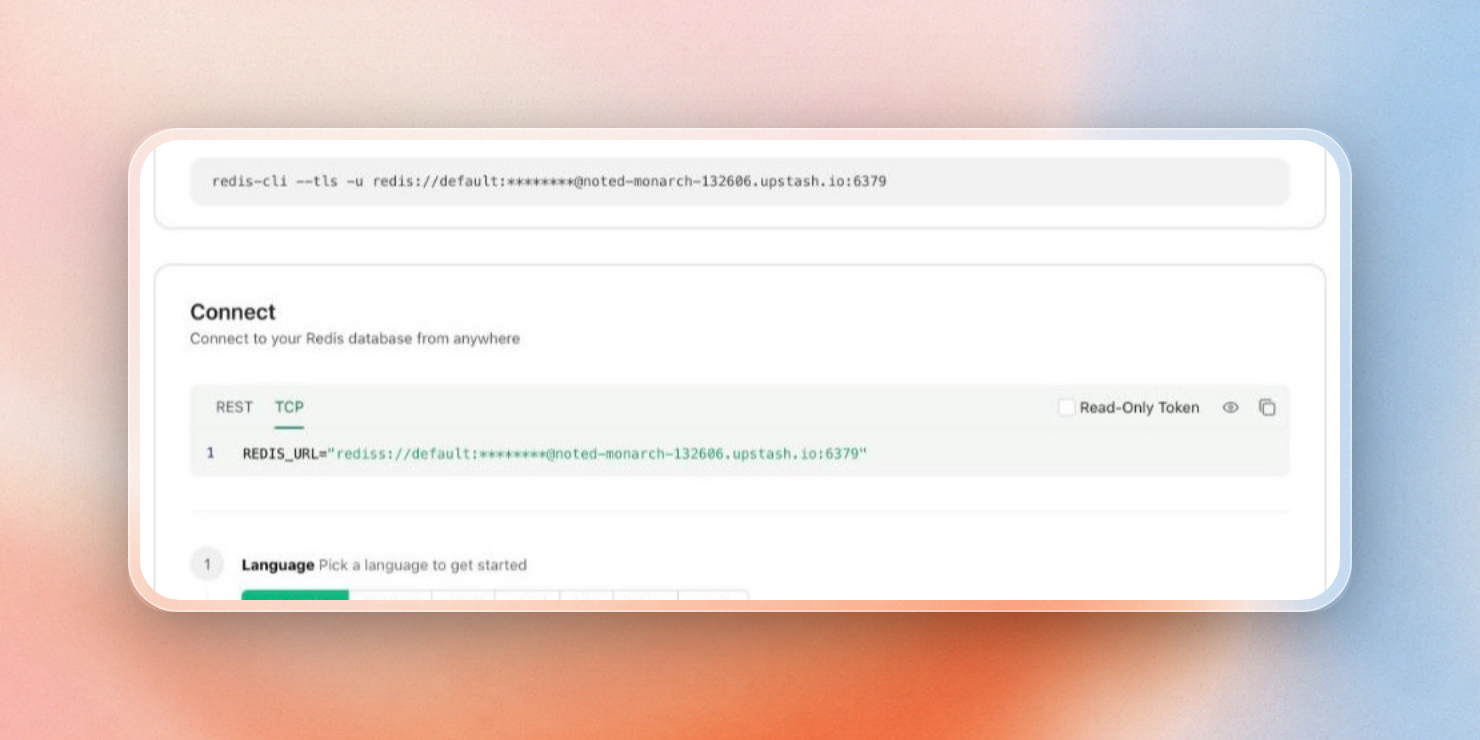
The Connect panel in the Upstash console, TCP tab
The URL has this shape, with your database token as the password:
rediss://default:YOUR_TOKEN@YOUR_ENDPOINT.upstash.io:6379Using rediss for the scheme enables TLS which is mandatory for Upstash databases. There is no separate password, so we use the token as the password.
The app reads the URL from the environment, so the same code runs locally, on App Platform and on a Droplet:
const Redis = require("ioredis");

const redis = new Redis(process.env.REDIS_URL);
See the Express quickstart for a full example app. Remember to choose an Upstash region close to your DigitalOcean datacenter so that each individual command is as fast as possible.
Set REDIS_URL on App Platform
On App Platform, you only add REDIS_URL once, on the web service component.
In the control panel, click on App Platform and click Create App. The first step of creating an app is to pick the deployment source: Git repository, container image, or template. Pick the one that fits your app.
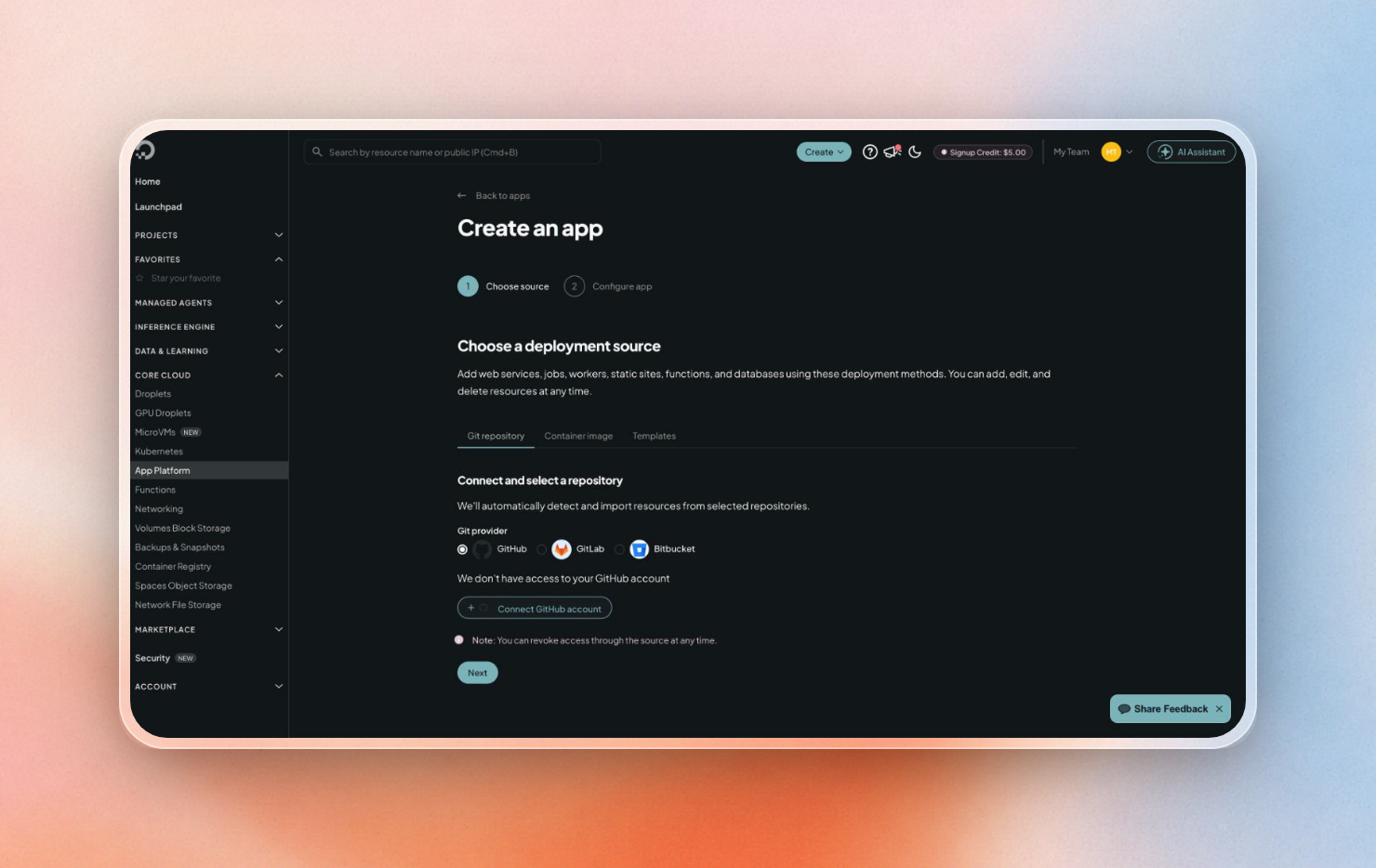
Create an app: choose a Git repository, container image or template
On the second step, Configure app, Upstash is an external database, so you put it into the Environment variables of your web service:
- Click Add environment variable and type
REDIS_URLas the key. - Paste the
rediss://URL from the Upstash console as the value. - Leave the scope at the default, Run and build time.
- Check Encrypt, so the token stays out of build, deploy and app logs.
Here is what the form looks like after adding the Upstash URL:
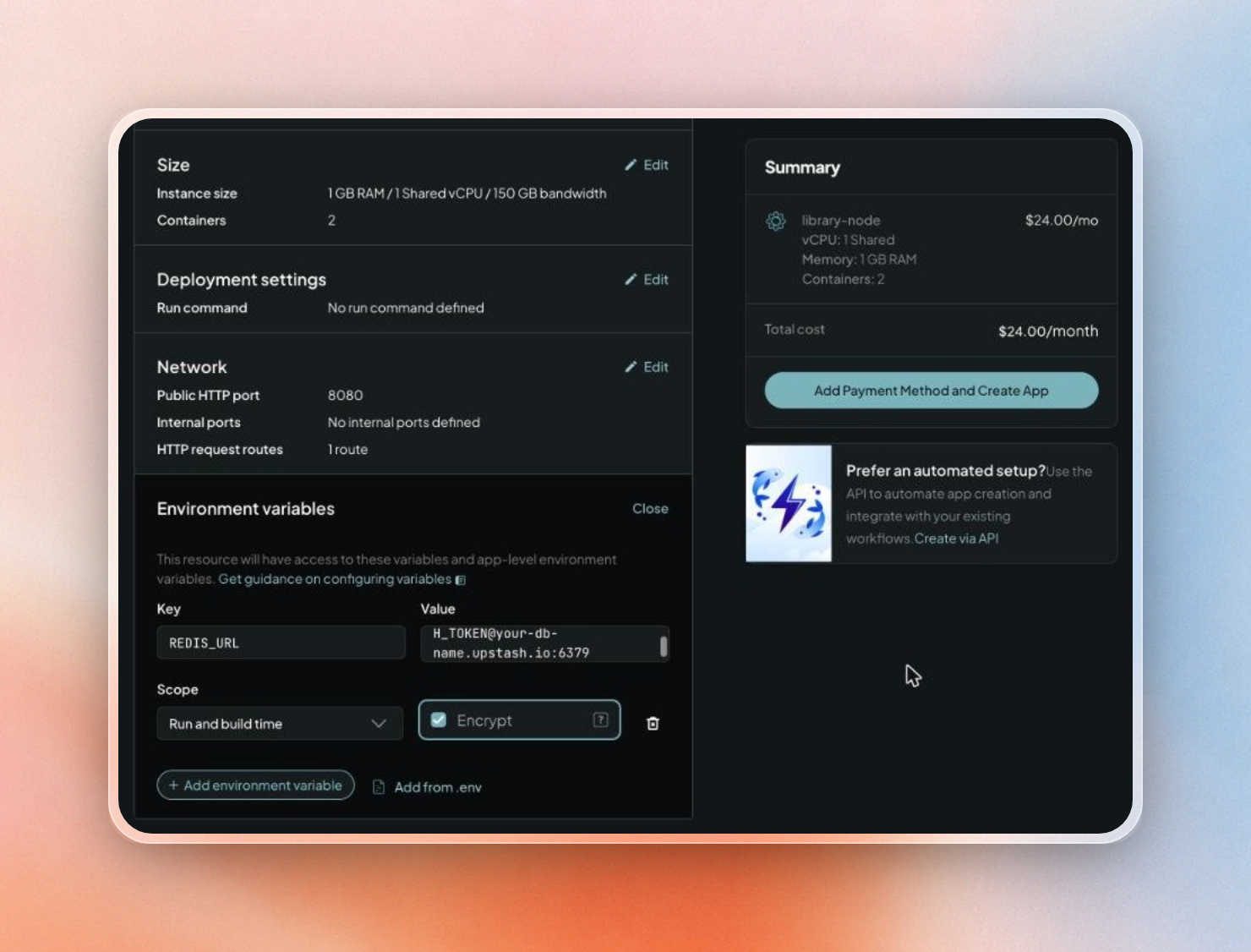
REDIS_URL on an App Platform web service, with Encrypt checked
For already running apps the same form can be found in Settings. Choose the web service component, then click Edit next to Environment Variables. Since Upstash accepts TLS connections from any address (unless you’ve turned on an IP allowlist), there’s no need to set up trusted sources.
Now that the app is deployed, we can see the cache in action on the database’s usage charts in the Upstash console. Commands, bandwidth, cache hits and misses per second can all be tracked on the database’s usage charts:
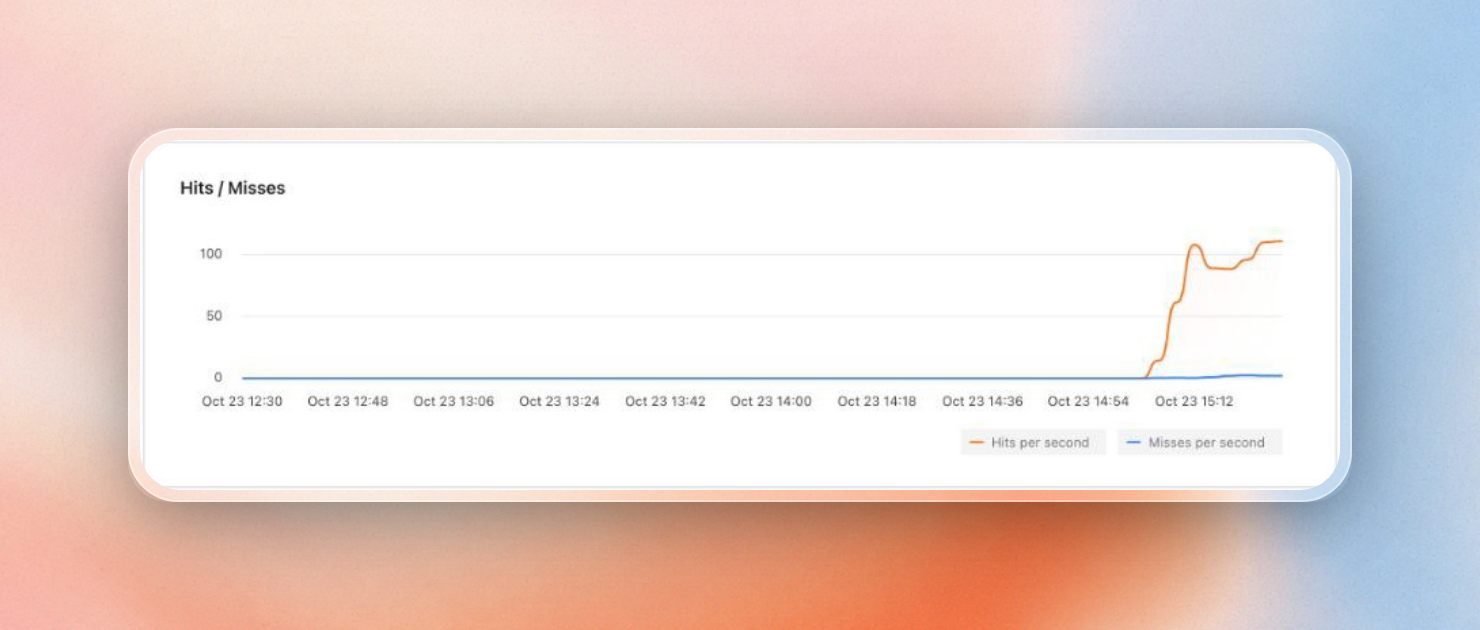
Cache hits and misses per second on the Usage tab
Set REDIS_URL on a Droplet
On a Droplet you run the app yourself, so the variable goes wherever your process manager reads its environment. With systemd, keep the URL in a root-only file and point the service at it:
sudo install -m 600 /dev/null /etc/myapp.env
echo 'REDIS_URL=rediss://default:YOUR_TOKEN@YOUR_ENDPOINT.upstash.io:6379' | sudo tee /etc/myapp.env > /dev/null
Then add the file to the service's [Service] section with EnvironmentFile and restart it:
[Service]
EnvironmentFile=/etc/myapp.env
ExecStart=/srv/myapp/start
Restart=always
sudo systemctl daemon-reload
sudo systemctl restart myappIn case the Droplet is behind a Cloud Firewall with outbound rules, make sure to allow outbound TCP traffic to port 6379, the port used to connect to Upstash.
Apps in more than one region
An App Platform app is hosted in a single datacenter region that is configured in its app spec. Dynamic apps can run in 12 regions, including NYC, SFO, FRA, SGP and SYD. If you want to serve users on two continents, you create an app per region.
A DigitalOcean Valkey cluster is located in a single region, with standby nodes located in the same region. This means that each regional app can have its own regional cluster with different data, or each regional app can reach across the ocean to a single cluster.
Upstash provides a Global database that consists of a primary region where writes occur and read regions where data is replicated. Each client reads from the nearest region, so an app in FRA and an app in SFO can share the same keys with a single REDIS_URL. Upstash reports less than 1 ms read latency in the 99th percentile when reading from the same region. Writes are replicated to each read region, and writes count as a command in each region. On Pay as You Go, two regions means that writes cost twice as much; on a Fixed plan each read region is a flat add-on (+$5/month on Fixed 250 MB).
You can add or remove read regions under Manage Regions on the database page, without changing the REDIS_URL of your app:
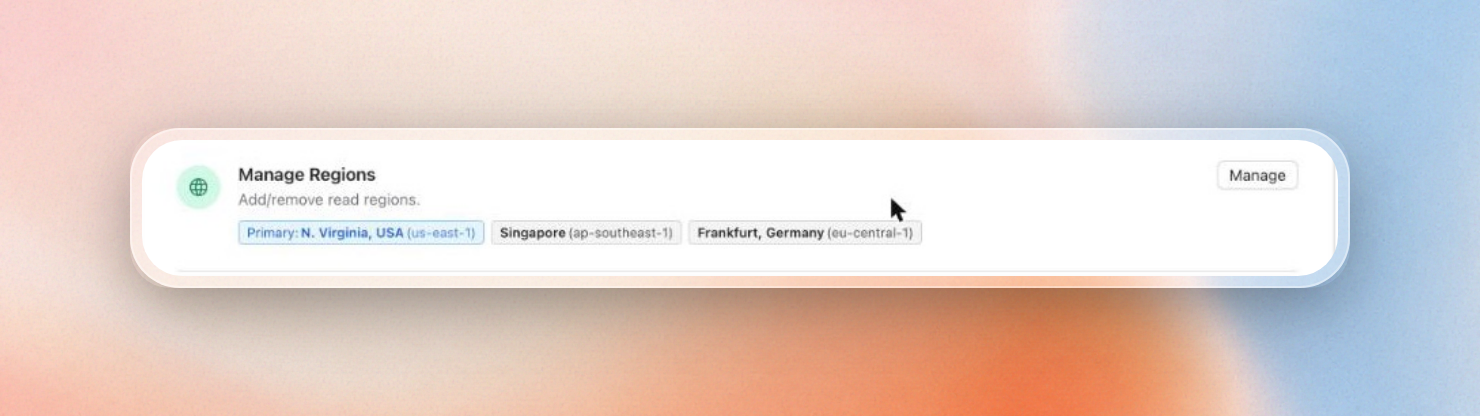
A primary in N. Virginia with read regions in Singapore and Frankfurt
Moving off the Upstash DigitalOcean add-on
The add-on created an Upstash database that DigitalOcean charged you for. As of August 31, 2026, those databases are no longer available or supported. To replace it with a standard Upstash database, follow these steps:
- Sign into the Upstash console and create a new Redis database. Make sure to choose the AWS or GCP region that is closest to your DigitalOcean datacenter.
- If you exported an RDB file from the old database before it was shut down, go to the databases list, click Import..., choose From RDB File, and upload the file. Note that importing deletes any data that is currently in the target database, so you should do this before the app starts writing to the database.
- If the database only contained cached values, you don't need to import any data; the app will populate the cache when the first cache misses occur.
- Replace the connection-related environment variables provided by the add-on with the
REDIS_URLenvironment variable for App Platform or the Droplet as described in the previous sections. Apps using@upstash/rediscan setUPSTASH_REDIS_REST_URLandUPSTASH_REDIS_REST_TOKENinstead.
Billing will shift from DigitalOcean to Upstash, and the free tier will apply until you add a credit card.
Why Upstash for App Platform and Droplets
For a cache, sessions, or rate limits on App Platform or a Droplet, Upstash gives you:
- You can run small apps on the free tier or for a few dollars a month on Pay as You Go.
- For more active apps, Fixed pricing plans provide a flat rate starting at $10 a month.
- It’s easy to connect to the database from your App Platform app, Droplet, laptop, or edge functions over HTTP.
- Unlike DigitalOcean’s Valkey, it supports daily backups and read regions.
- Each database gets usage charts and a Data Browser in the console, so you can check hit rates and look at keys without a CLI.
There’s another use case for coding agents as well: A single POST to start-redis returns a working Upstash database without an account. It persists for 3 days unless you claim it via the console, so an agent can build and test your app against it, then send you the claim link before deployment.
