

The Upstash Console exposes metrics in two places: the database list, and the detail page of a single database. This page explains what each chart shows.
Databases with Prod Pack also have an Insights tab, with request routing, latency, limits and keyspace details.
Database List#
The list view aggregates summary information across all of your databases.
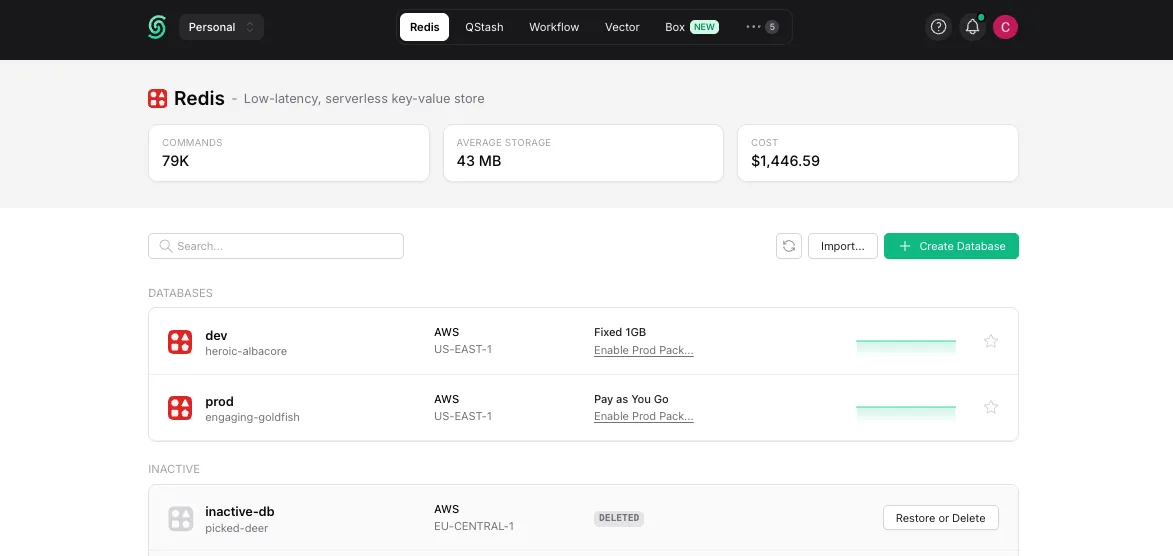
Click a database name to open its detail page. For each row the list shows:
- The region of the database
- The plan of the database (free, pay-as-you-go, fixed, or enterprise)
Database Details#
By clicking on a database on the list page, you can navigate to its detail page.
The charts on this page show metrics that are specific to the selected database.
Current Month#

Daily cost of the database for the current billing month.
Daily Request#
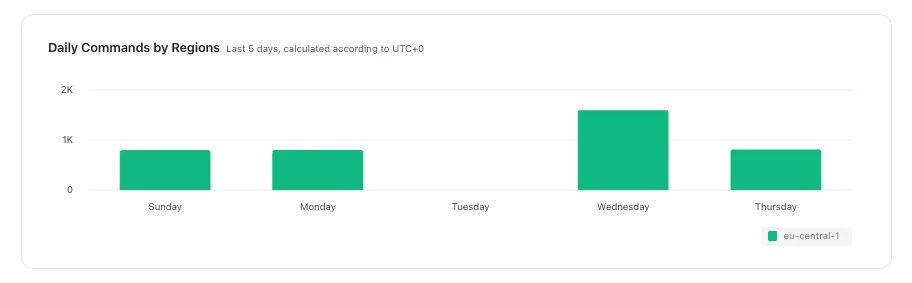
Total number of requests per day, over the last 5 days.
Database Usage#
If you click on the “Usage” tab, you can see more detailed charts about the usage of your database.
Throughput#
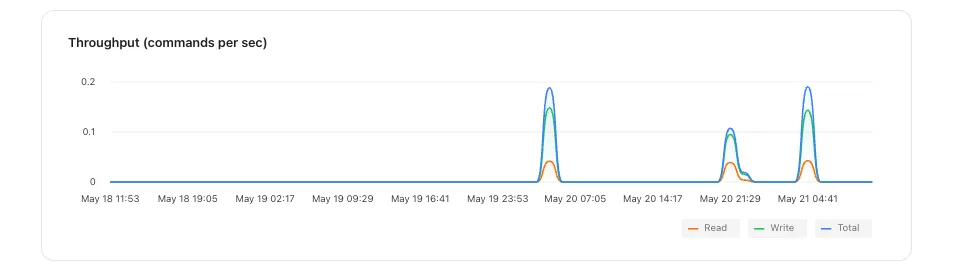
Throughput chart shows throughput values for reads, writes and commands (all commands including reads and writes) per second. The chart covers the last 1 hour and it is updated every 10 seconds.
Service Time Latency#
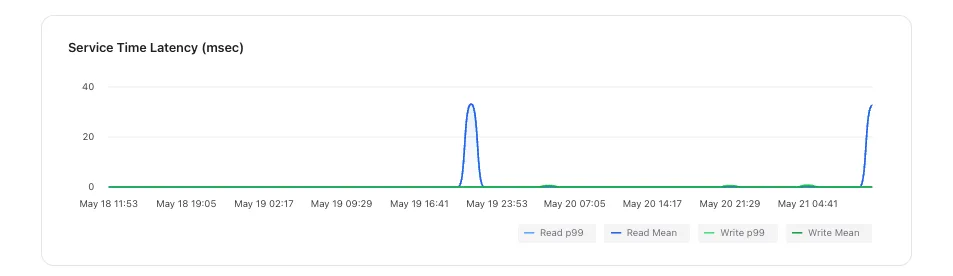
This chart shows the processing time of the request between it is received by the server and the response is sent to the caller. It shows the times in max, mean, min, 99.9 percentile and 99.99 percentile. The chart covers the last 1 hour and it is updated every 10 seconds.
Data Size#
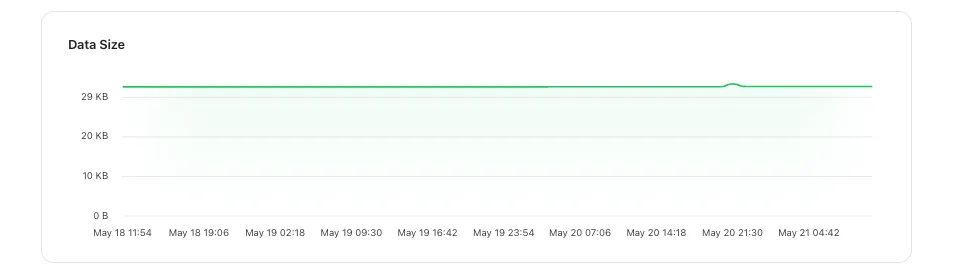
This chart shows the data size of your database. The chart covers the last 24 hours and it is updated every 10 seconds.
Connections#
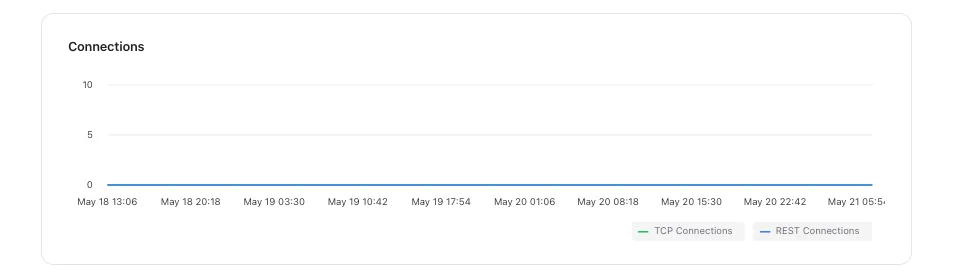
This chart shows the number of active client connections. It shows the number of open connections plus the number of short-lived connections that started and terminated in 10 seconds period. The chart covers the last 1 hour and it is updated every 10 seconds.
Key Space#
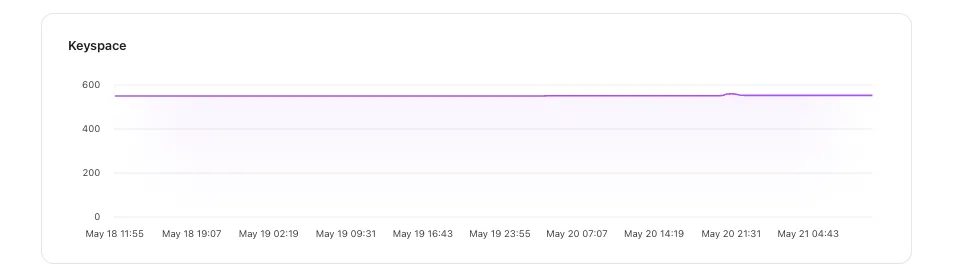
This chart shows the number of keys. The chart covers the last 24 hours and it is updated every 10 seconds.
Hits / Misses#
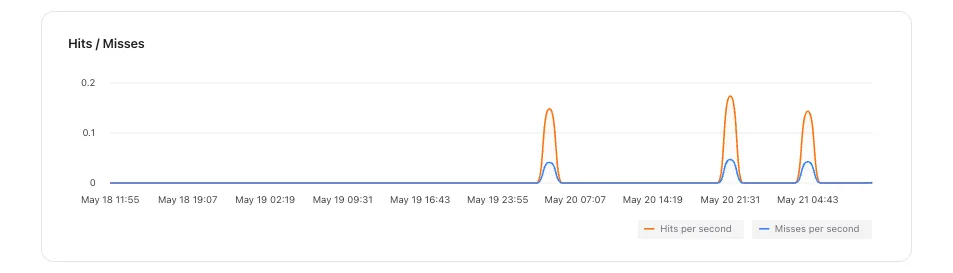
This chart shows the number of hits per second and misses per second. The chart covers the last 1 hour and it is updated every 10 seconds.