Web Application Caching: Browser, CDN and Server-Side Caching Explained
 Cahid Arda Oz
A product page, which always reads the same row from the database, pays thousands of times per day for the same query. Caching stores a copy of the result near the user, so subsequent requests don’t have to do the work. A web application has a few different places to cache the result, each of which has a different expiry rule and mechanism for eviction.
How do you add caching to a web application?
The approach to adding caching to a web application is to cache in layers, based on how the request travels. The browser handles the static files, and can validate the HTML with the server. A CDN can then handle some of the shared public responses, and serve them closer to the users. Finally, a server-side cache such as Redis can then cache the results of database and API queries on the web app.
Each layer needs a lifetime and a way to clear stale copies:
| Layer | What it caches | Where it lives | How a copy is cleared |
|---|---|---|---|
| Browser | JS, CSS, images, HTML | The user's device | A new file name for assets, an ETag check for HTML |
| CDN or edge | Public pages and API responses | Servers near the user | It expires after s-maxage, or you purge it |
| Server-side (Redis) | Query results, API responses, computed data | A Redis database your app servers share | The TTL runs out, or you delete the key on write |
| Framework cache | Rendered pages and data functions | The framework's own store | Revalidation by time or by tag |
Every layer before your database needs to miss in order for a request to reach it.
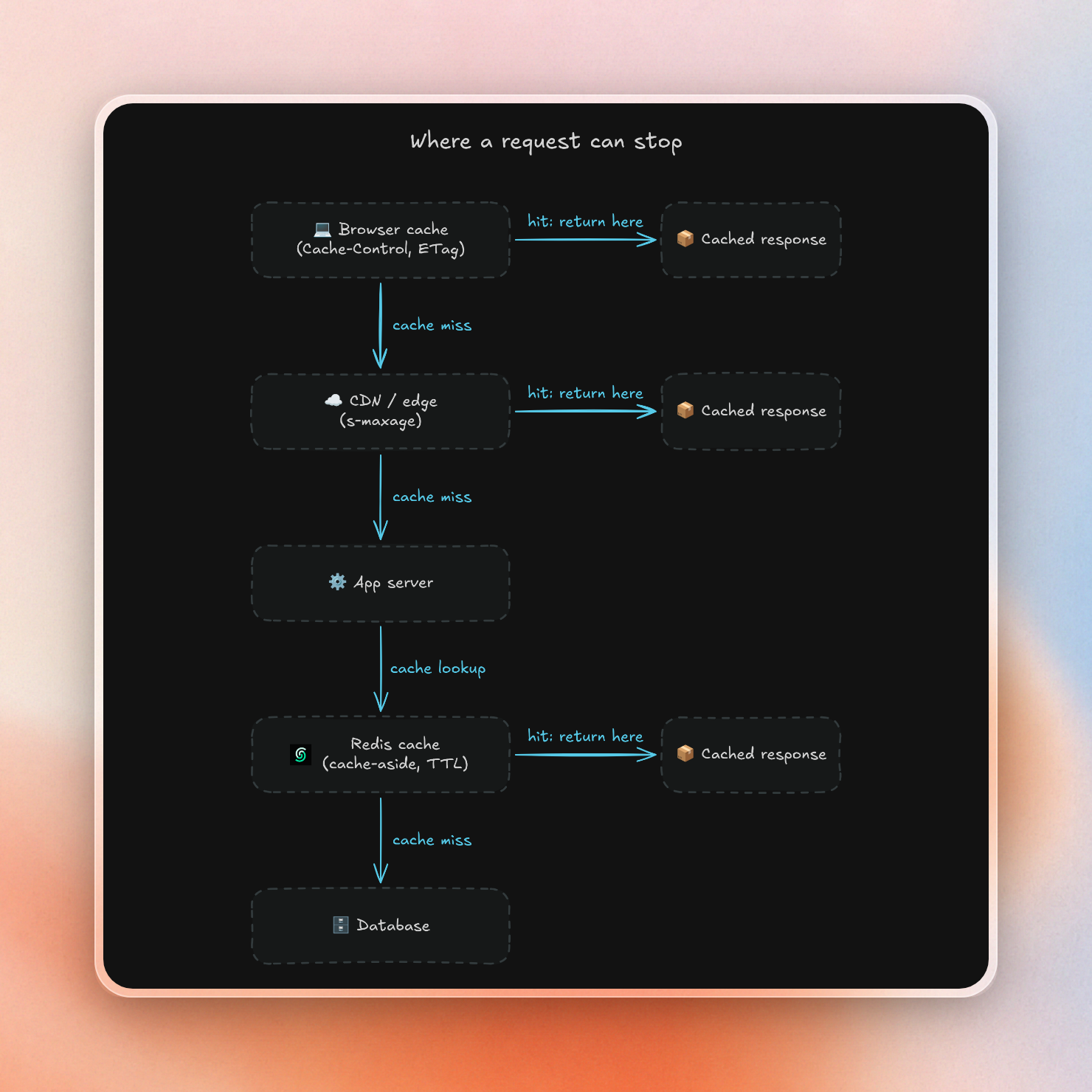
Browser caching with Cache-Control and ETag
There are two rules of thumb for setting caching headers in the browser: files that have a version number or a hash in their name get a new URL when they change, so they can be cached for a year with immutable. HTML keeps the same URL, so it is served with no-cache to make sure browsers store the page but check back with the server before using it.
The efficient way to do this is to include an ETag header on each response. When the browser sends back its stored ETag in the If-None-Match header, the server can send back a 304 Not Modified response with no body.
This Node.js server sets both rules:
// http-server.js
import { createServer } from "node:http";
import { createHash } from "node:crypto";

const html = "<!doctype html><script src='/app.3f9a1c.js'></script>";
const etag = `"${createHash("sha1").update(html).digest("hex").slice(0, 16)}"`;

createServer((req, res) => {
  if (req.url === "/app.3f9a1c.js") {
    res.setHeader("Cache-Control", "public, max-age=31536000, immutable");
    return res.end("console.log('app')");
  }

  res.setHeader("Cache-Control", "no-cache");
  res.setHeader("ETag", etag);
  if (req.headers["if-none-match"] === etag) {
    res.statusCode = 304;
    return res.end();
  }
  res.setHeader("Content-Type", "text/html");
  res.end(html);
}).listen(3000);
The first request for the page returns the full HTML, a repeat with the ETag gets a 304, and the script is cached for a year:
HTTP/1.1 200 OK
Cache-Control: no-cache
ETag: "3db71bc5a0c646b3"

HTTP/1.1 304 Not Modified

HTTP/1.1 200 OK
Cache-Control: public, max-age=31536000, immutable
If the HTML is different for each user (e.g. after login), add private: Cache-Control: no-cache, private.
CDN and edge caching
A CDN is a shared cache, serving all users in a region with the same copy. It looks up s-maxage in the Cache-Control header, which overrides max-age for shared caches, but is ignored by browsers. Adding stale-while-revalidate enables the CDN to reuse a stale response, while it simultaneously fetches a fresh one in the background.
This header keeps a public API response at the edge for 60 seconds, then serves the old copy for up to 5 more minutes while it refreshes:
Cache-Control: public, s-maxage=60, stale-while-revalidate=300If something varies per user, use private. This will prevent shared caches from storing it. Responses to requests with an Authorization header must not be stored in a shared cache unless marked public. So do not use public there.
Server-side caching with Redis
Whole responses can be cached by a CDN. Inside the app, the slow part is often one query or API call, shared by many pages, but because of personalization of the surrounding page, neither browser nor CDN can cache it. Server-side caching, on the other hand, allows results to be stored in Redis, and can then be accessed by all app servers and functions.
The usual pattern is cache-aside. The app reads the key from Redis first. On a miss it loads the data, stores it with a TTL (time to live, after which Redis deletes the key) and returns it:
// cache.js
import { createClient } from "redis";

export const redis = await createClient({ url: process.env.REDIS_URL }).connect();

export async function cached(key, ttl, load) {
  const hit = await redis.get(key);
  if (hit !== null) {
    await redis.incr("cache:stats:hits");
    return JSON.parse(hit);
  }
  await redis.incr("cache:stats:misses");
  const value = await load();
  await redis.set(key, JSON.stringify(value), { EX: ttl });
  return value;
}
A route calls it with a key, a TTL in seconds and the function that does the real work, for example cached("cache:product:42", 60, () => getProduct("42")). With a database call that takes 500 ms, three requests in a row look like this:
request 1: 781 ms
request 2: 186 ms
request 3: 187 ms
In this example, the first request will take longer as it includes the database call. The subsequent requests only require a single Redis round trip, the time for which is mainly determined by how close your application is to the Redis region.
The code sample above can be used with any Redis. It can be run on a server, in a container, or in a serverless function. To test things out immediately, POST to https://upstash.com/start-redis to create a scratch Upstash Redis database with no account that lasts for three days unless you claim it. For a more permanent database, check out the Upstash console. There, REDIS_URL can be found in the Connect panel under TCP. For edge runtimes without TCP, use the HTTP-based @upstash/redis client. It does the same over HTTP.
The Connect panel's TCP tab:
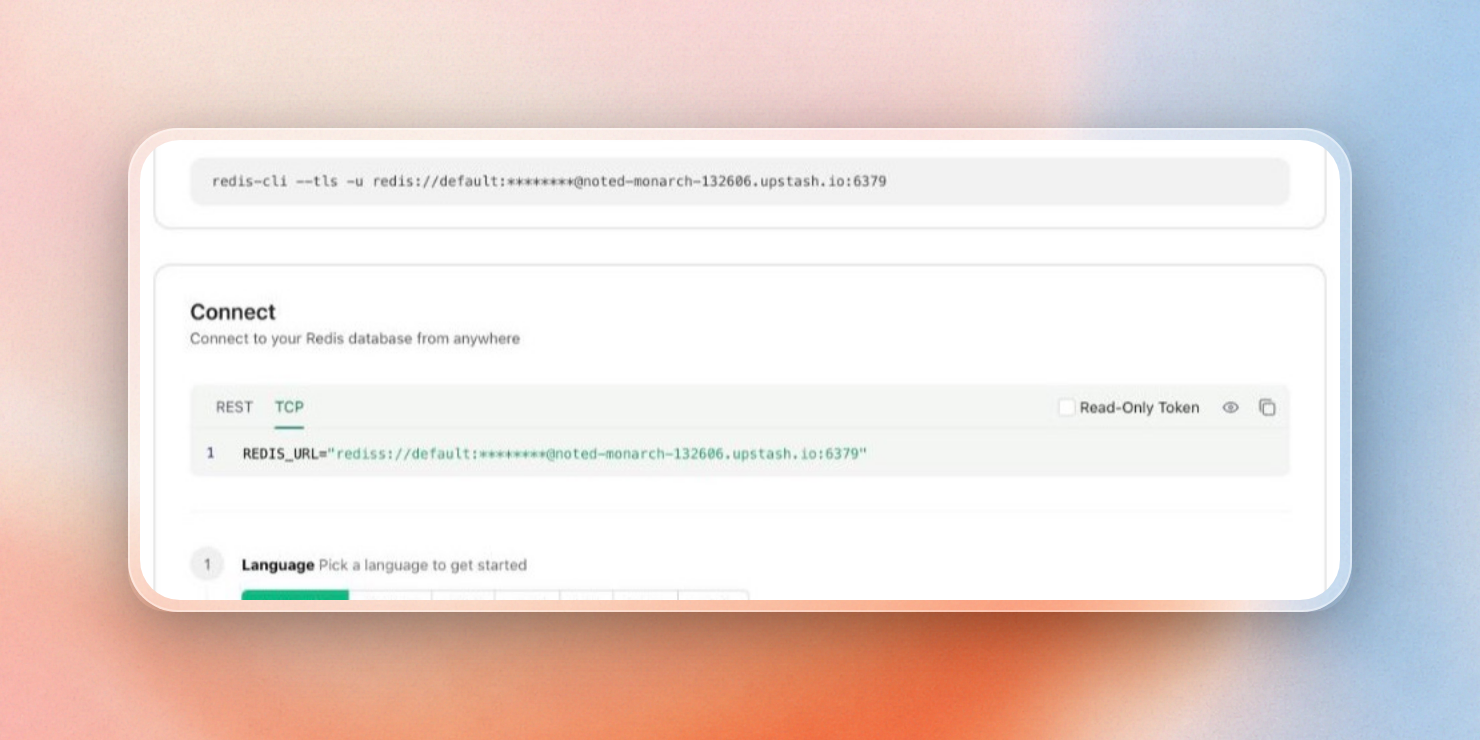 REDIS_URL for any TCP Redis client, in the Upstash console
The Data Browser lets you see each cached key, its value, and the TTL that is remaining. This is a great way to verify that your cached keys are expiring on the schedule you set:
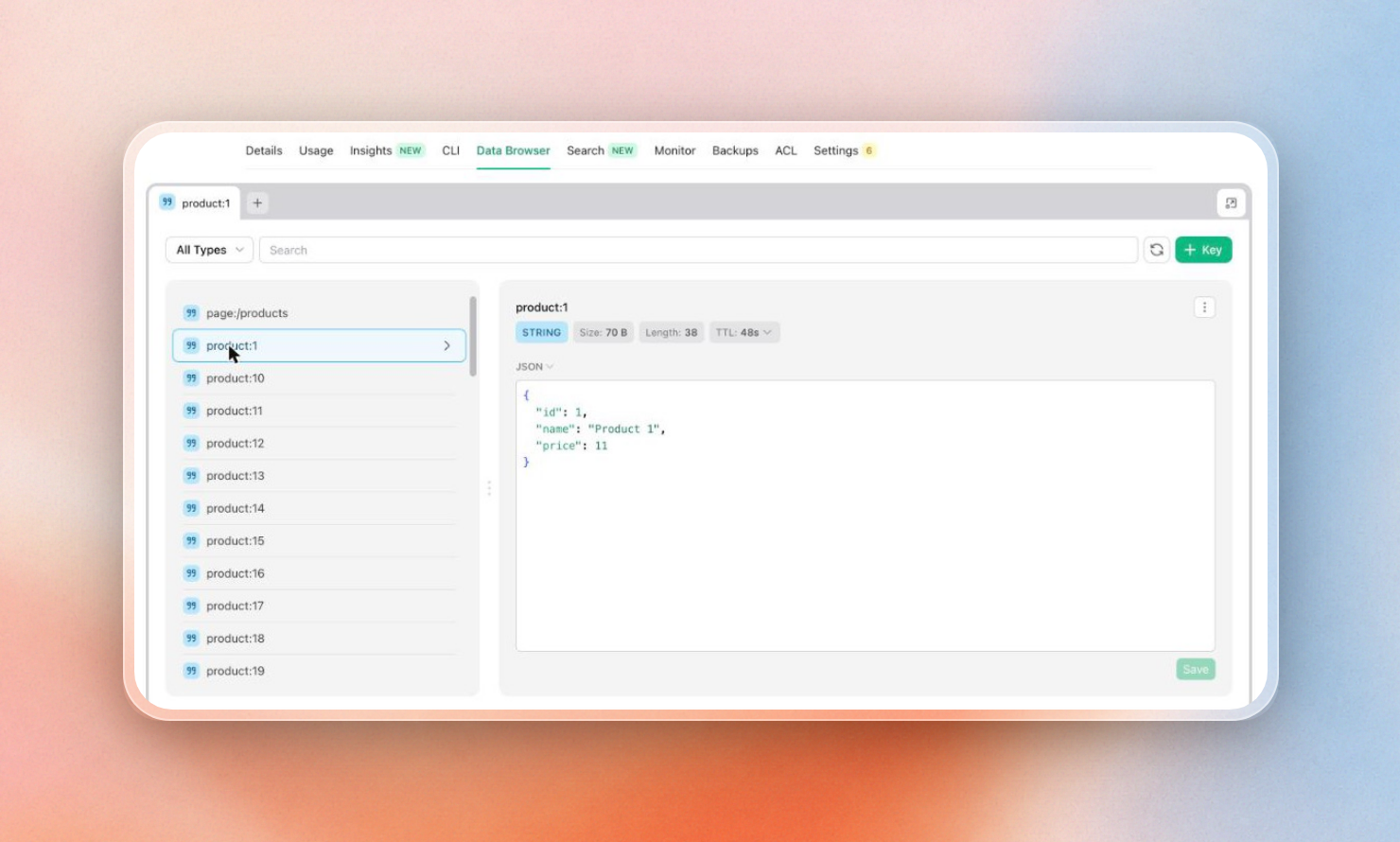 A cached product:1 key with 48 seconds of TTL left
A cache database should remove old keys when it becomes full. In Upstash, eviction is off by default. If the database becomes full, then it stops accepting new writes. If you enable Eviction in Settings, then it removes random keys, preferring keys with a TTL. Also, in the same Settings page you can add read regions to a Global database, so the users in other regions read the cache from the copy near them:
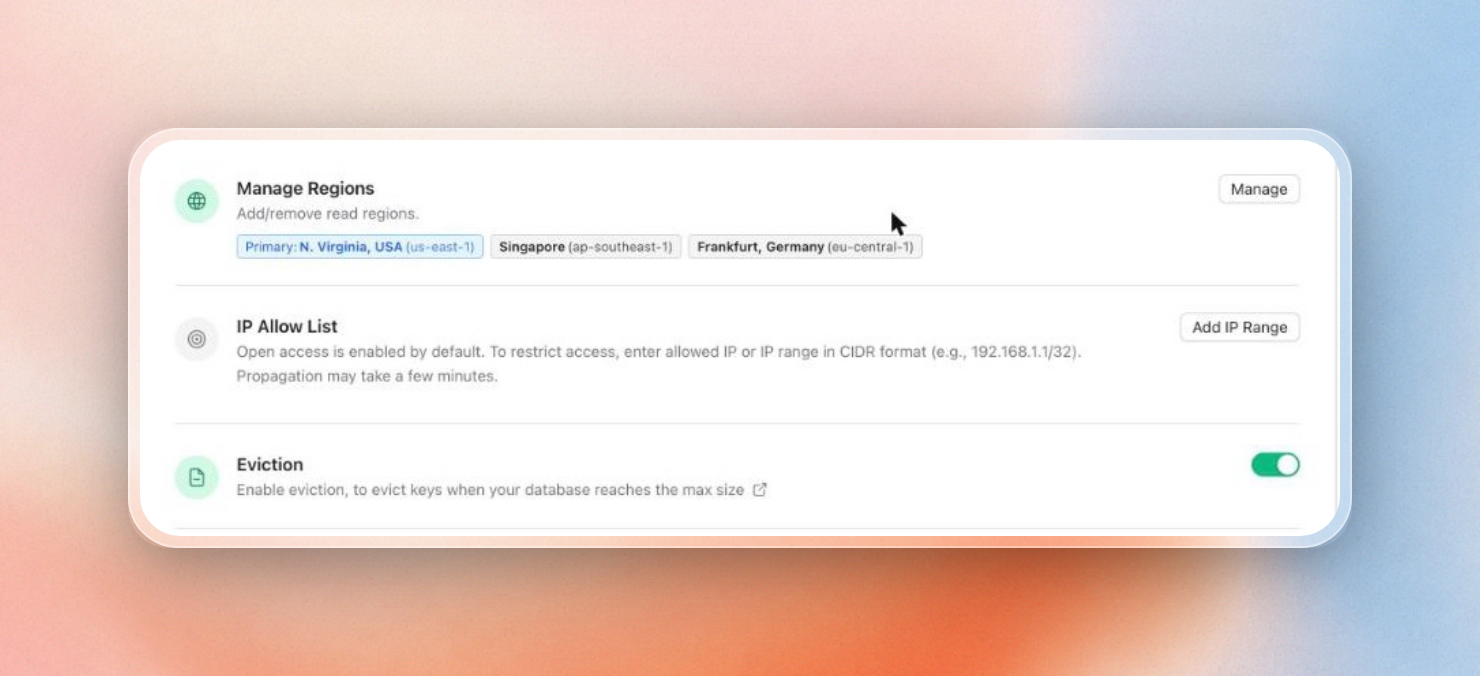 Read regions in Singapore and Frankfurt, and the Eviction toggle
With pay-as-you-go, Upstash charges $0.20 per 100K commands, and the first 1 GB of storage is free. This means that a small cache with no traffic is free.
Frameworks also have their own cache layer, such as Next.js' use cache directive for caching the result of a function or component. By default, this uses an in-memory cache for each instance which is not persistent between serverless requests. You can also use use cache: remote to use a shared cache handler. There are similar tutorials on cache with Prisma, Laravel, and FastAPI.
Keep cached data correct
If your app changes some data, then you can write the data to your database, and then delete the key from Redis, which will cause the next read to load the new value. Still keep the TTL though as that will expire any copies of the value that were left behind if a delete failed.
If a popular key expires, then many requests may miss at the same time and hit your database to reload it. You can prevent that by acquiring a short lock on the key with SET ... NX EX, so one request reloads it while the others wait.
The pattern in this guide is cache-aside. There are several other patterns for caching, such as write-through, write-behind, and read-through. You can learn more about these other patterns in the Redis caching patterns guide, which compares the different patterns with some code.
Measure the hit rate
The cached function above counts every hit and miss in Redis, so the hit rate is one read away:
// stats.js
import { redis } from "./cache.js";

const [hits, misses] = await redis.mGet(["cache:stats:hits", "cache:stats:misses"]);
console.log(`hit rate: ${(Number(hits) / (Number(hits) + Number(misses))).toFixed(2)}`);
await redis.close();
After the three requests above it prints:
hit rate: 0.67For more detailed statistics, the Upstash console also provides a graph of hit and miss rates for each database in the Usage tab of the console. This lets you monitor your hit rate without having to write your own counters:
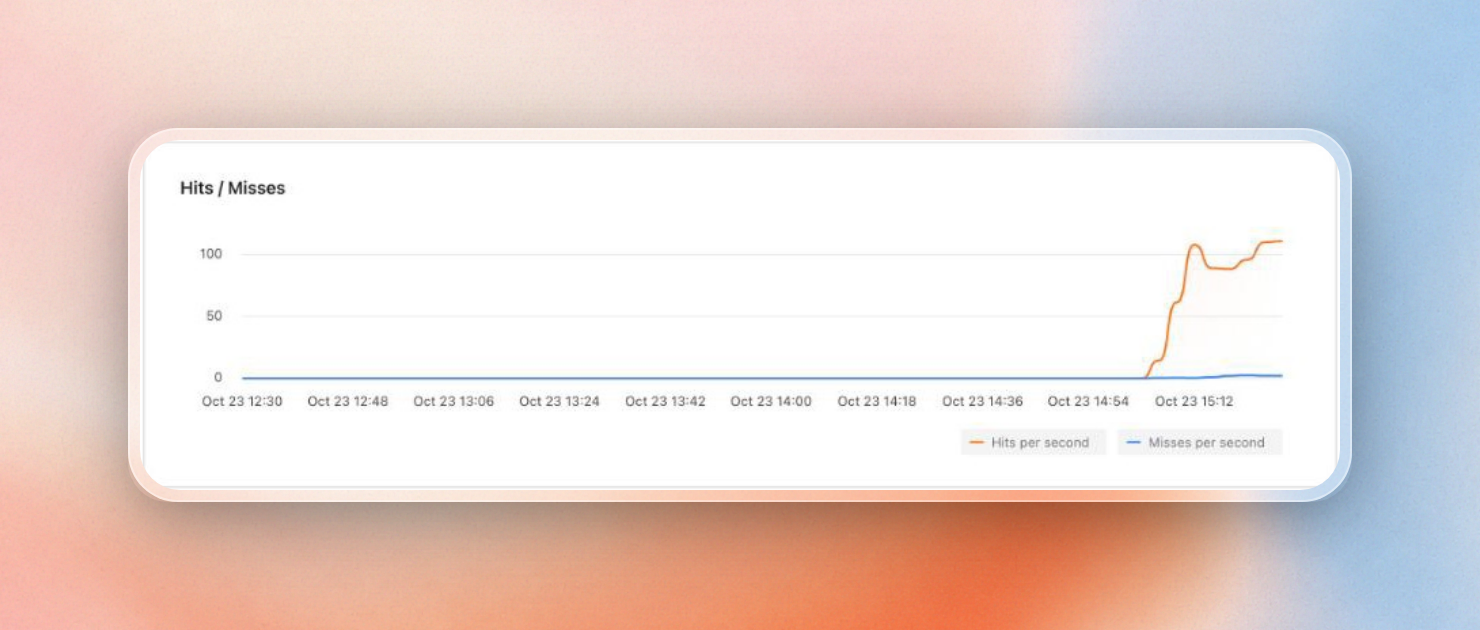 Hits and misses per second in the Usage tab
If we see a low hit rate on a cached value, either its TTL is shorter than the average time between reads, or we’re caching something too specific, like full URLs with tracking parameters. We can increase hit rates by using longer TTLs and building keys only from the parts that change the result.
What to cache, and for how long
Caching is useful for any data that is frequently read, but rarely modified. How old can the data be before it becomes unacceptable for users to see stale data?
- product details, settings, markdown rendered to HTML etc. - long TTL, delete-on-write
- counters, feeds, third-party API calls etc. - short TTL, used to protect against slow/rate-limited APIs
- dashboards, shopping carts etc. - use
privatebrowser caching, or Redis with user-specific keys. never cache in a shared CDN - responses from LLMs - use a semantic cache to answer similar queries with identical answers even if they are phrased differently
- payment status, permissions etc. - don’t cache these.
Start with browser and CDN caching. Then find the slowest queries that are shared across many requests and add cache-aside in Redis. Monitor cache hits to see if it is worth the effort to cache more things.
