Introducing Context7 Skill Wizard

Writing high quality skills for AI coding assistants is harder than it looks. You need to distill documentation into concise, actionable instructions that capture best practices, avoid deprecated patterns, and fit within context limits. We built the Context7 Skill Wizard to do this automatically.
npx ctx7 skills generateThis command walks you through creating a custom skill. Instead of manually writing SKILL.md files, you describe what you need and the wizard generates it by querying Context7's up-to-date documentation:
- Generated from the latest official documentation
- Best practices grounded in real sources
- No hallucinated APIs or deprecated patterns
The Problem: Writing Skills Is Tedious
Skills are reusable prompt templates that extend your AI coding assistant's capabilities. They package domain knowledge into instructions the AI loads when relevant, helping standardize workflows and share expertise across projects.
The challenge is that writing them manually requires:
- Deep knowledge of the library. You need to know current best practices, not just how things worked a year ago.
- Understanding what the AI needs. Skills aren't tutorials. They need to be concise, constraint-focused instructions.
- Keeping up with changes. Libraries evolve. React 19 patterns differ from React 18. Next.js 15 has different conventions than 14.
Writing skills that accurately reflect current library patterns is hard. Most developers either skip them entirely or struggle to keep up with documentation changes.
How the Skill Wizard Works
The wizard is an interactive CLI flow that guides you through skill creation in five steps:
Step 1: Describe Your Expertise
Start by describing what you want the AI to become an expert at:
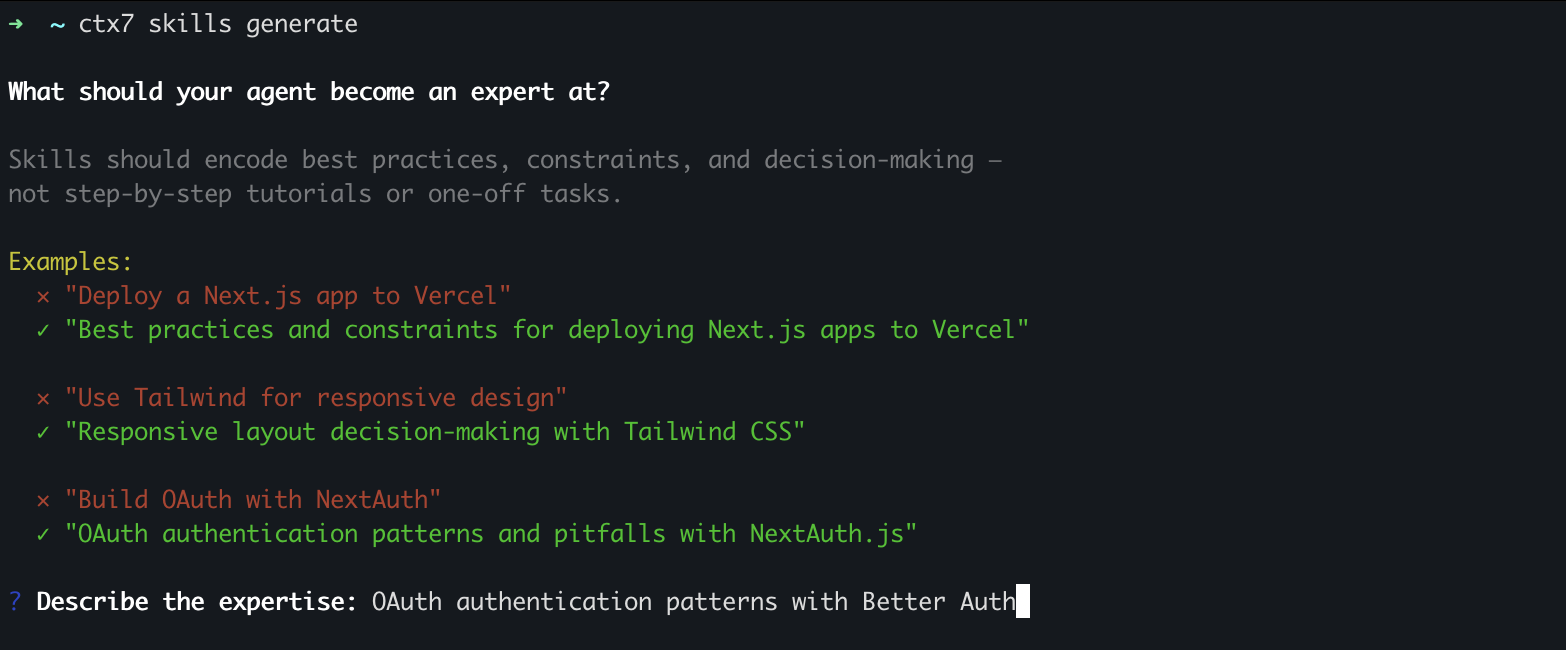
The key is focusing on expertise, not tasks. You're not asking the AI to do something; you're teaching it how to think about a domain.
Step 2: Select Documentation Sources
The wizard searches Context7's documentation index and shows relevant sources:
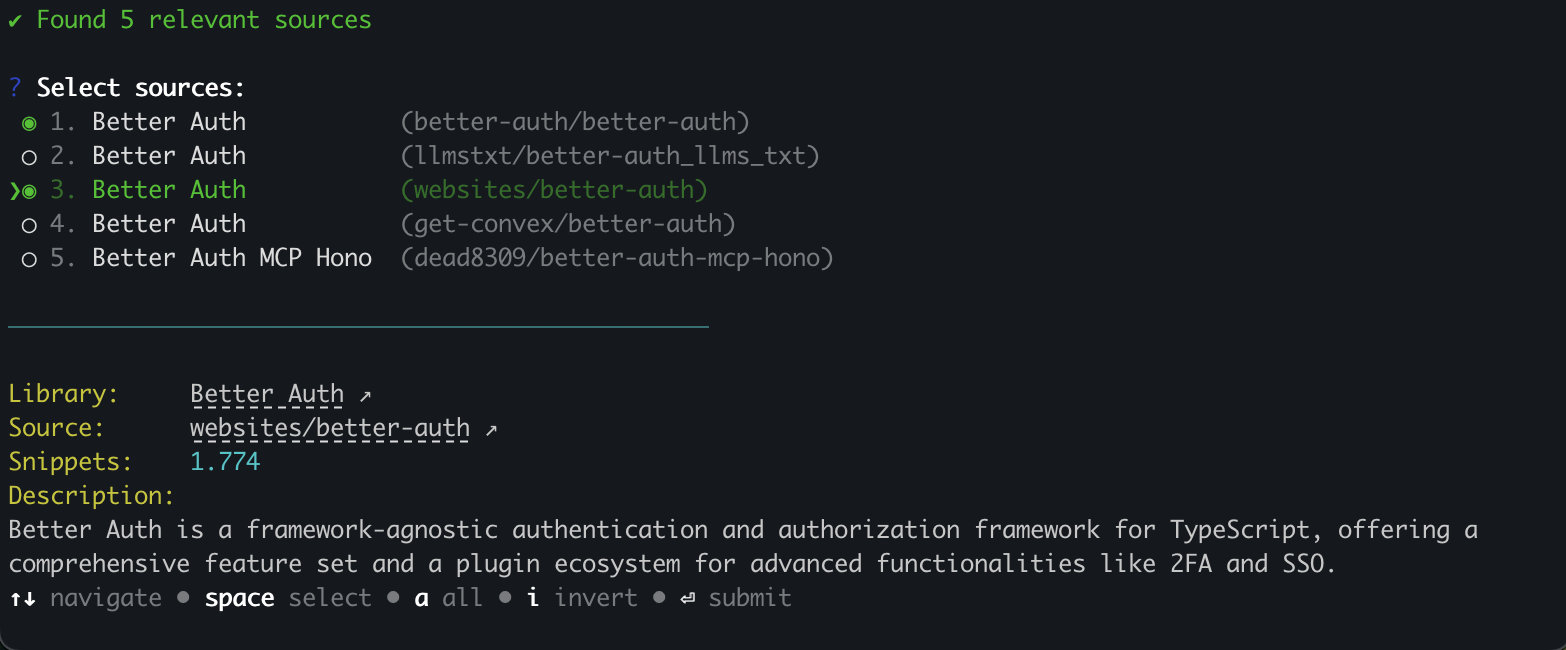
Hover over any source to see its description and GitHub link. The wizard uses these sources to ground the skill in real documentation, not hallucinated patterns.
Step 3: Answer Clarifying Questions
The AI generates targeted questions to narrow the scope of your skill:
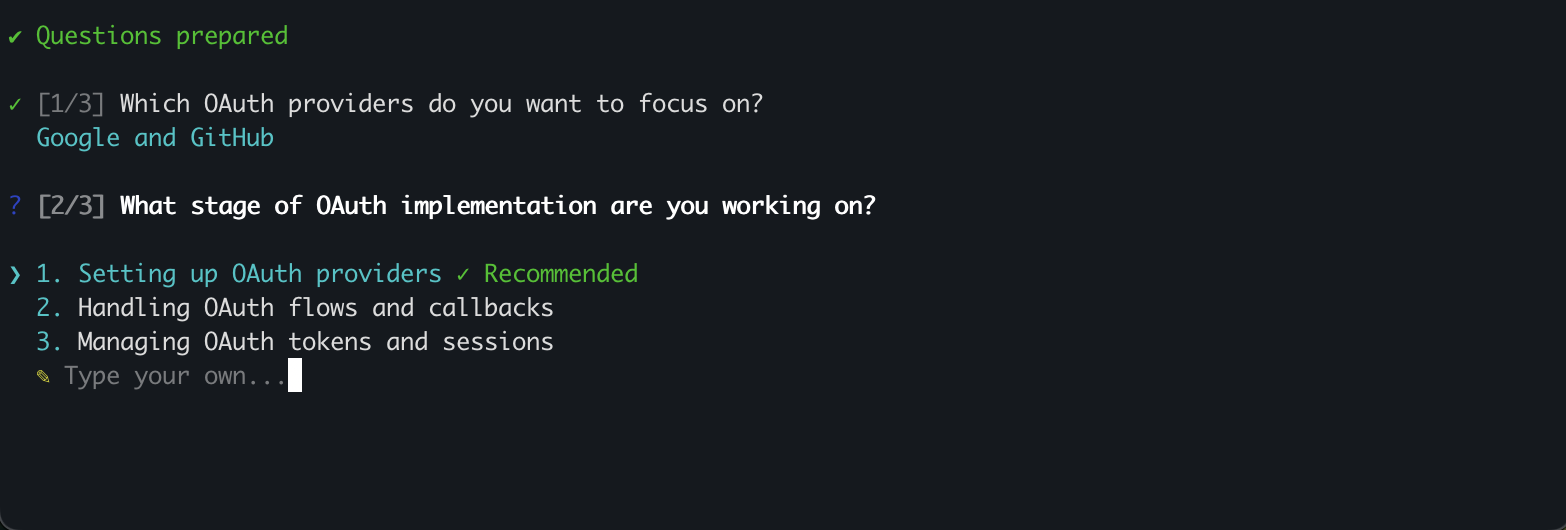
Each question has recommended options based on common use cases, but you can always type a custom answer.
Step 4: Review and Refine
The wizard queries Context7 for the latest documentation and generates your skill:

You see exactly which documentation snippets are being used, so you know the skill is grounded in real, current information. When generation completes, you have a few options:
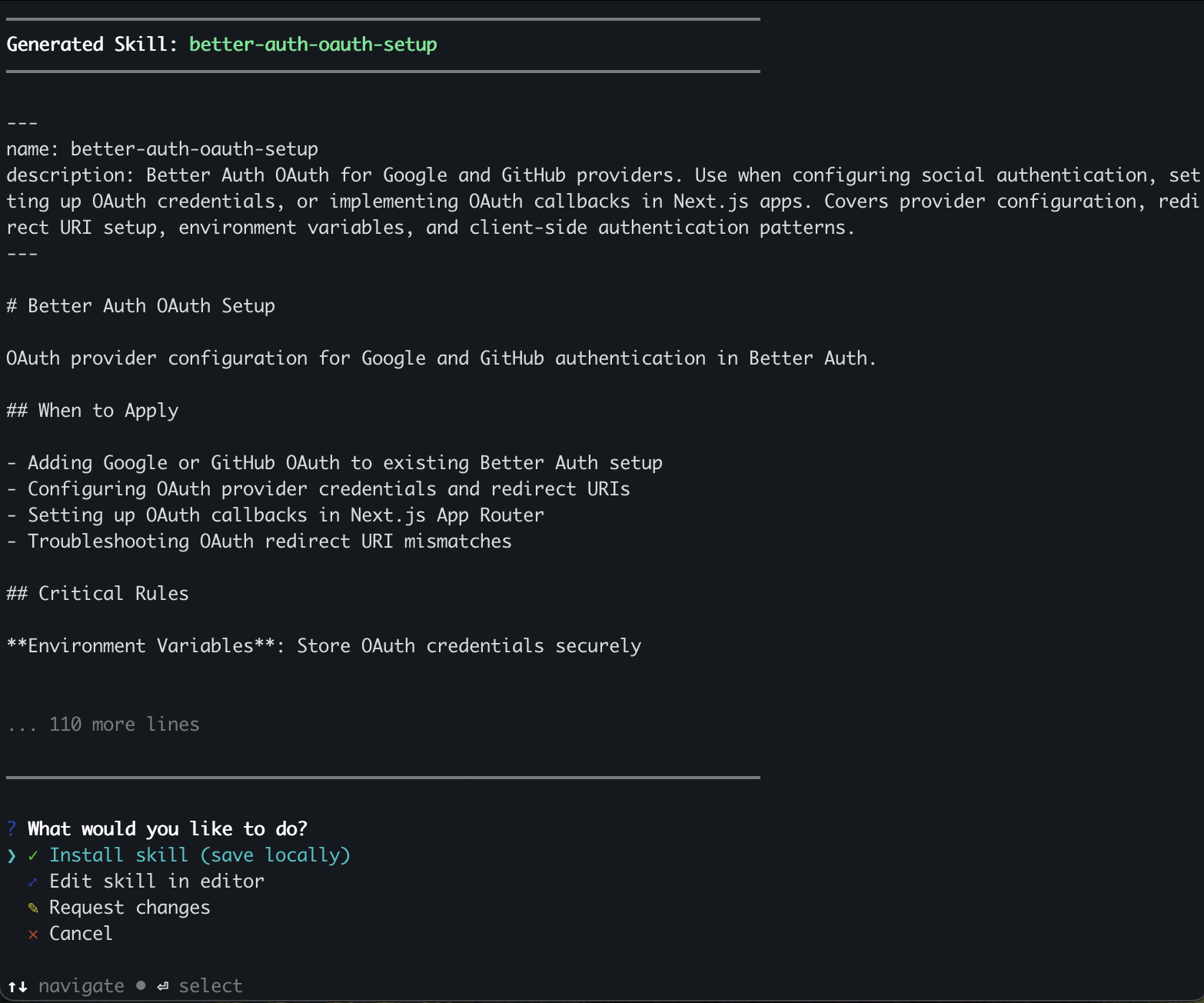
Choose Edit in editor to open the full skill in your preferred editor ($EDITOR) for detailed review. Or if something isn't quite right, choose Request changes and describe what you want adjusted. The wizard regenerates with your feedback, keeping the parts you liked. This feedback loop lets you iterate until the skill matches your needs.
Step 5: Install to Your IDE
Finally, choose where to install. The wizard supports multiple IDEs: Claude Code, Cursor, Codex, OpenCode, Amp, and Antigravity.
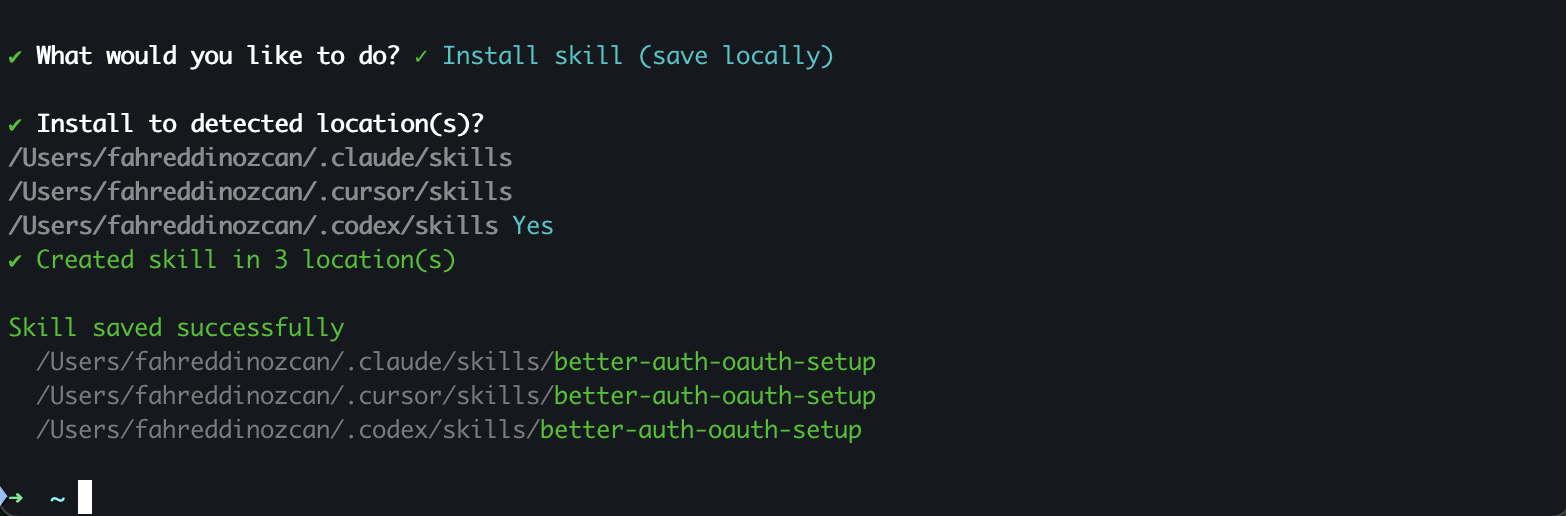
The wizard detects which IDEs you have installed and creates the skill in the right location. You can select multiple targets at once, or use the --all flag to install everywhere.
What's Next
We're continuing to improve the wizard based on feedback. Some things we're working on:
- Scripts and references support: Generate complete skill packages with
scripts/,references/, andassets/directories, not just the SKILL.md file. - Publish to registry: Push your generated skills to the Context7 registry directly from the CLI.
If you have feedback or run into issues, open an issue on GitHub. We'd love to hear what skills you're generating and how we can make the wizard better.