> ## Documentation Index
> Fetch the complete documentation index at: https://upstash.com/docs/llms.txt
> Use this file to discover all available pages before exploring further.
# Parallel Runs
This feature is not yet available in
[workflow-py](https://github.com/upstash/workflow-py). See our
[Roadmap](/workflow/roadmap) for feature parity plans and
[Changelog](/workflow/changelog) for updates.
Just like you can execute multiple JavaScript promises at the same time using `Promise.all`, you can run multiple workflow steps at the same time:
```typescript theme={"system"}
const [result1, result2, result3] =
await Promise.all([
ctx.run("parallel-step-1", async () => { ... }),
ctx.run("parallel-step-2", async () => { ... }),
ctx.run("parallel-step-3", async () => { ... }),
])
```
In a complete code example, your workflow could look like this:
```typescript app/api/workflow/route.ts theme={"system"}
import { serve } from "@upstash/workflow/nextjs";
import { checkInventory, brewCoffee, printReceipt } from "@/utils";
export const { POST } = serve(async (ctx) => {
const [coffeeBeansAvailable, cupsAvailable, milkAvailable] =
await Promise.all([
ctx.run("check-coffee-beans", () => checkInventory("coffee-beans")),
ctx.run("check-cups", () => checkInventory("cups")),
ctx.run("check-milk", () => checkInventory("milk")),
]);
// If all ingedients available, brew coffee
if (coffeeBeansAvailable && cupsAvailable && milkAvailable) {
const price = await ctx.run("brew-coffee", async () => {
return await brewCoffee({ style: "cappuccino" });
});
await printReceipt(price);
}
});
```
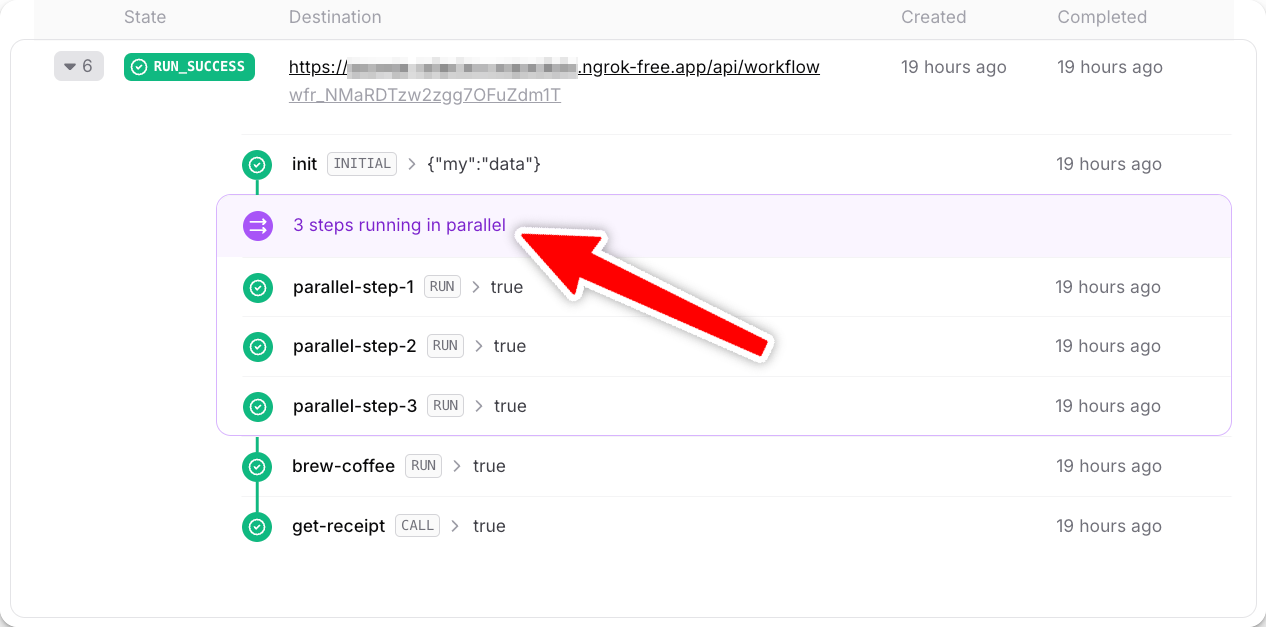
After running your workflow, your dashboard shows each step in detail: