> ## Documentation Index
> Fetch the complete documentation index at: https://upstash.com/docs/llms.txt
> Use this file to discover all available pages before exploring further.
# Reliability of Failure Function
The failure function is executed whenever a workflow run fails.
In some cases, the failure function itself may throw an error.
When this happens, it will be retried according to the workflow run's retry configuration.
If all retry attempts also fail, the failure function execution is marked as failed.
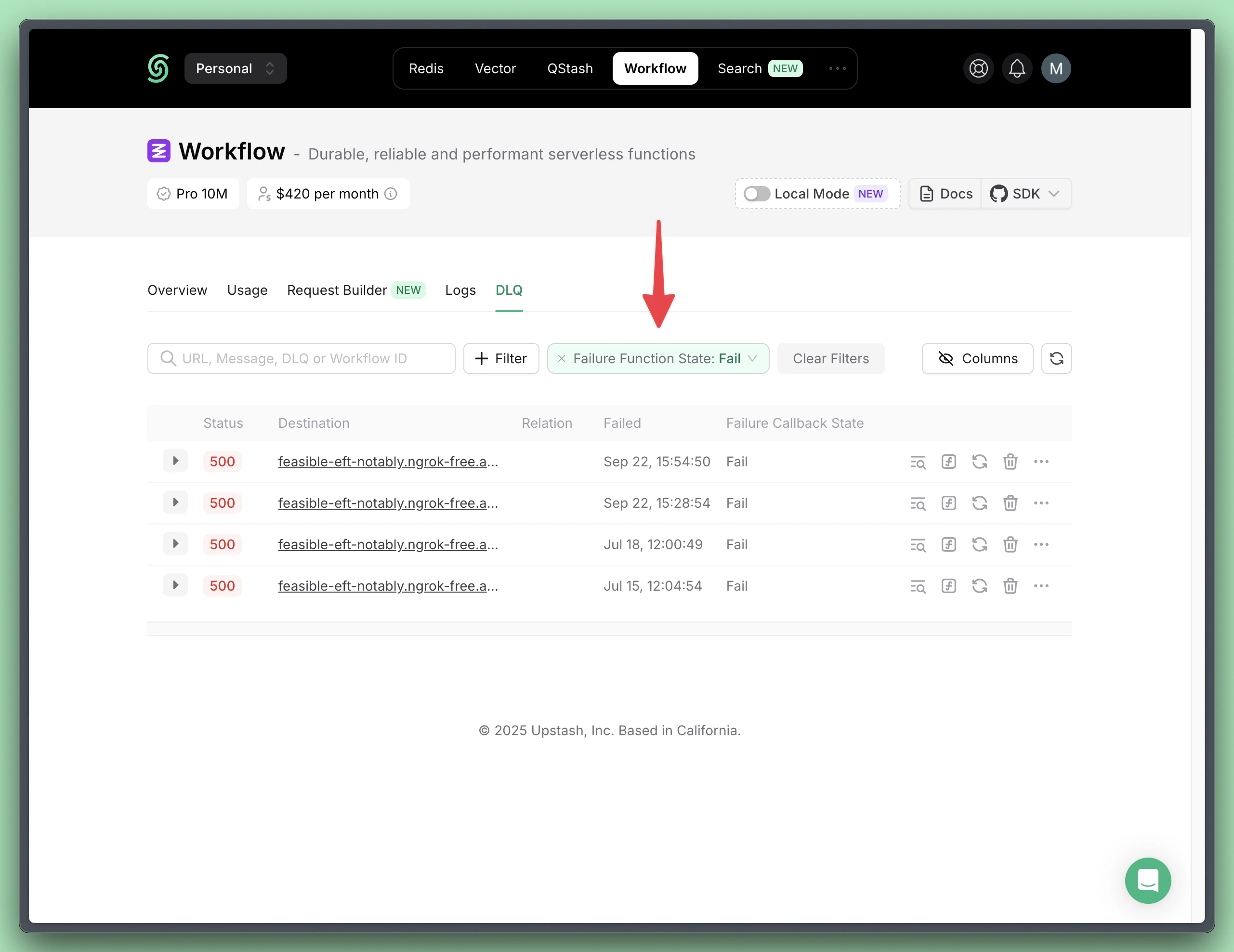
You can view and filter workflow runs with failed failure function executions in the DLQ dashboard.
 From the DLQ dashboard, you can retry the failure function.
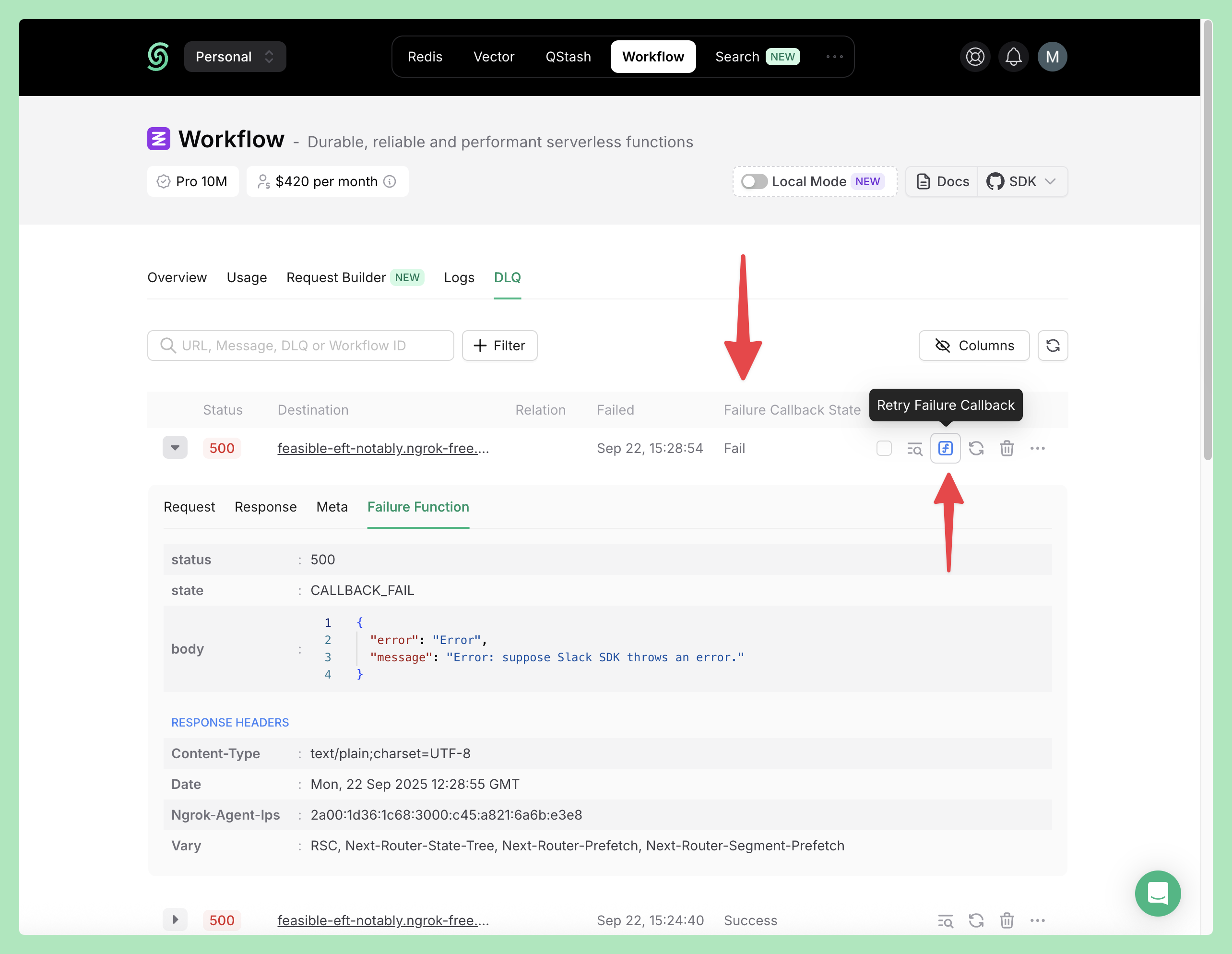 You can perform this action programmatically as well:
```ts theme={"system"}
import { Client } from "@upstash/workflow";
const client = new Client({ token: "" });
const response = await client.dlq.retryFailureFunction({
dlqId: "dlq-12345" // The ID of the DLQ message to retry
});
```
You can perform this action programmatically as well:
```ts theme={"system"}
import { Client } from "@upstash/workflow";
const client = new Client({ token: "" });
const response = await client.dlq.retryFailureFunction({
dlqId: "dlq-12345" // The ID of the DLQ message to retry
});
```