> ## Documentation Index
> Fetch the complete documentation index at: https://upstash.com/docs/llms.txt
> Use this file to discover all available pages before exploring further.
# Overview
When you define a workflow endpoint, you can attach a failure function to the workflow that allows you to execute custom logic when a workflow run fails after exhausting all retry attempts.
This feature ensures that you can perform cleanup operations, logging, alerting, or any other custom error handling logic before the failed workflow run is moved to the Dead Letter Queue (DLQ).
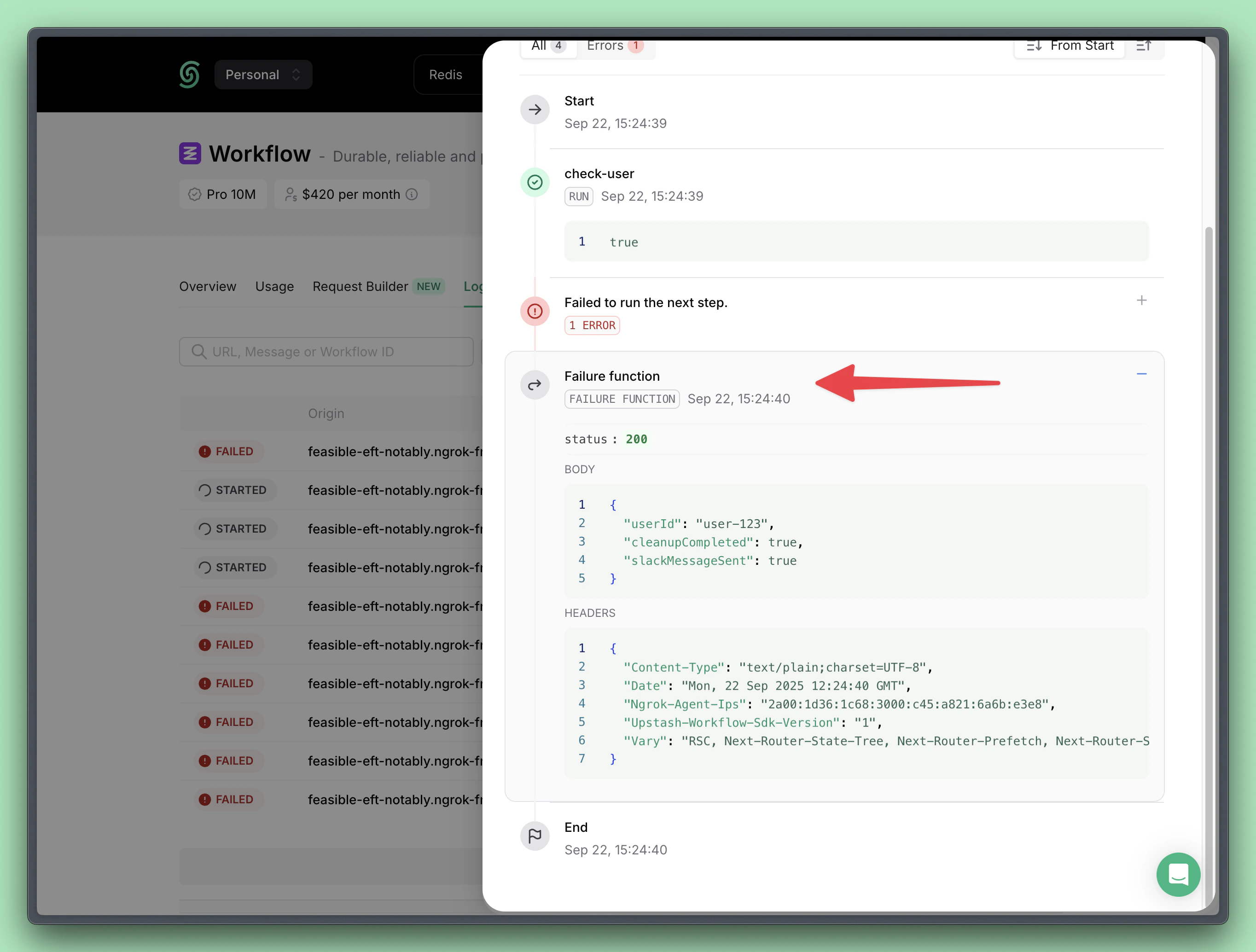 The failure function automatically receives the workflow run context and the reason for the failure, so you can decide how to handle it.
```typescript TypeScript theme={"system"}
import { serve } from "@upstash/workflow/nextjs";
export const { POST } = serve(
async (context) => {
// Your workflow logic...
},
{
failureFunction: async ({
context,
failStatus,
failResponse,
failHeaders,
}) => {
// 👇 Log error to monitoring system
await logToSentry(...);
// 👇 Send alert to team
await sendSlackAlert(...);
// 👇 Perform cleanup operations
await cleanupWorkflowResources(...);
},
}
```
);
You cannot create new workflow steps inside the `failureFunction` using `context`.
The `context` provided here is only meant to expose workflow run properties (like URL, payload, and headers).
Think of the failure function as an individual `context.run` step. It executes once with the provided context but cannot define further steps.
If you use a custom authorization method to secure your workflow endpoint, add authorization to the `failureFunction` too.
Otherwise, anyone could invoke your failure function with a request.
Read more here: [securing your workflow endpoint](/workflow/howto/security).
## Parameters
The `failureFunction` receives an object with the following parameters:
The workflow context object containing:
The ID of the failed workflow run
The publicly accessible workflow endpoint URL
The original request payload that triggered the workflow
The original request headers
Environment variables
The HTTP status code returned by the failed workflow step.
The response body returned by the failed workflow step.
The response headers returned by the failed workflow step.
The failure function automatically receives the workflow run context and the reason for the failure, so you can decide how to handle it.
```typescript TypeScript theme={"system"}
import { serve } from "@upstash/workflow/nextjs";
export const { POST } = serve(
async (context) => {
// Your workflow logic...
},
{
failureFunction: async ({
context,
failStatus,
failResponse,
failHeaders,
}) => {
// 👇 Log error to monitoring system
await logToSentry(...);
// 👇 Send alert to team
await sendSlackAlert(...);
// 👇 Perform cleanup operations
await cleanupWorkflowResources(...);
},
}
```
);
You cannot create new workflow steps inside the `failureFunction` using `context`.
The `context` provided here is only meant to expose workflow run properties (like URL, payload, and headers).
Think of the failure function as an individual `context.run` step. It executes once with the provided context but cannot define further steps.
If you use a custom authorization method to secure your workflow endpoint, add authorization to the `failureFunction` too.
Otherwise, anyone could invoke your failure function with a request.
Read more here: [securing your workflow endpoint](/workflow/howto/security).
## Parameters
The `failureFunction` receives an object with the following parameters:
The workflow context object containing:
The ID of the failed workflow run
The publicly accessible workflow endpoint URL
The original request payload that triggered the workflow
The original request headers
Environment variables
The HTTP status code returned by the failed workflow step.
The response body returned by the failed workflow step.
The response headers returned by the failed workflow step.