> ## Documentation Index
> Fetch the complete documentation index at: https://upstash.com/docs/llms.txt
> Use this file to discover all available pages before exploring further.
# Langflow with Upstash Vector
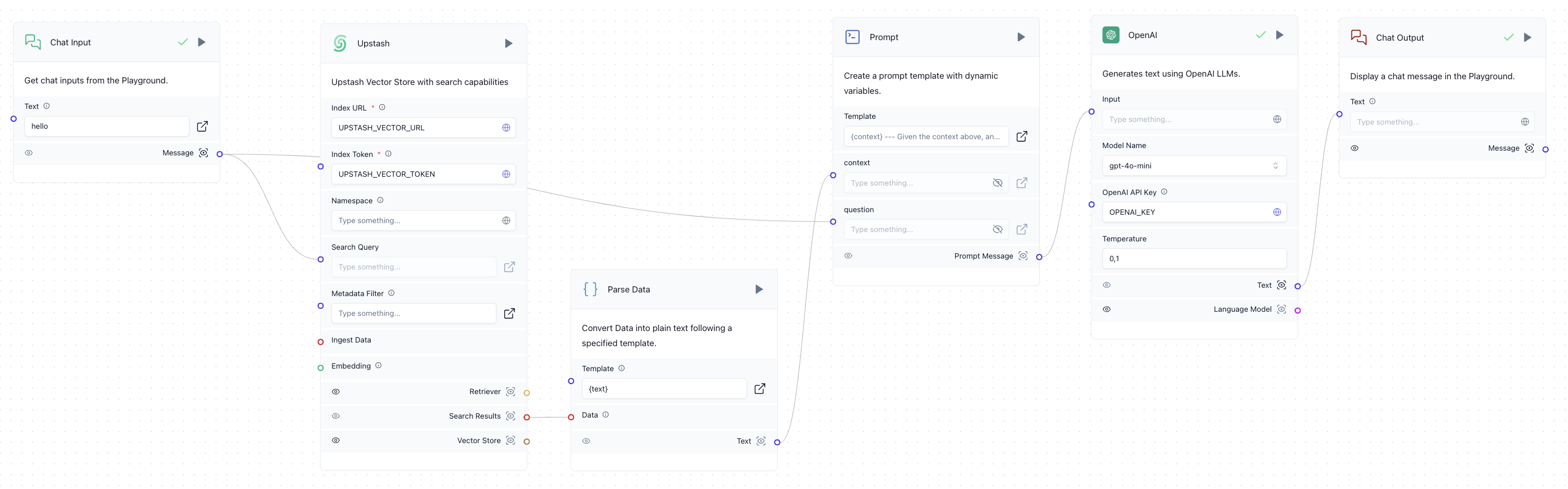
Langflow provides an intuitive, visual interface to design LLM workflows. You can seamlessly integrate Upstash Vector into your Langflow projects to enable vector-based semantic search and context retrieval.
 ## Install
To get started, install Langflow and Upstash Vector locally or use the Langflow dashboard from [DataStax](https://www.datastax.com/products/langflow). For local installation, run:
```bash theme={"system"}
pip install langflow upstash-vector
```
## Usage
### Creating an Upstash Vector Index
Visit the [Upstash Console](https://console.upstash.com/vector) to create a vector index. To learn more about index creation, you can check out [this page](https://docs.upstash.com/vector/overall/getstarted).
### Adding Upstash Vector to Langflow
In Langflow, you can integrate Upstash Vector for document indexing and semantic search. Use the following steps:
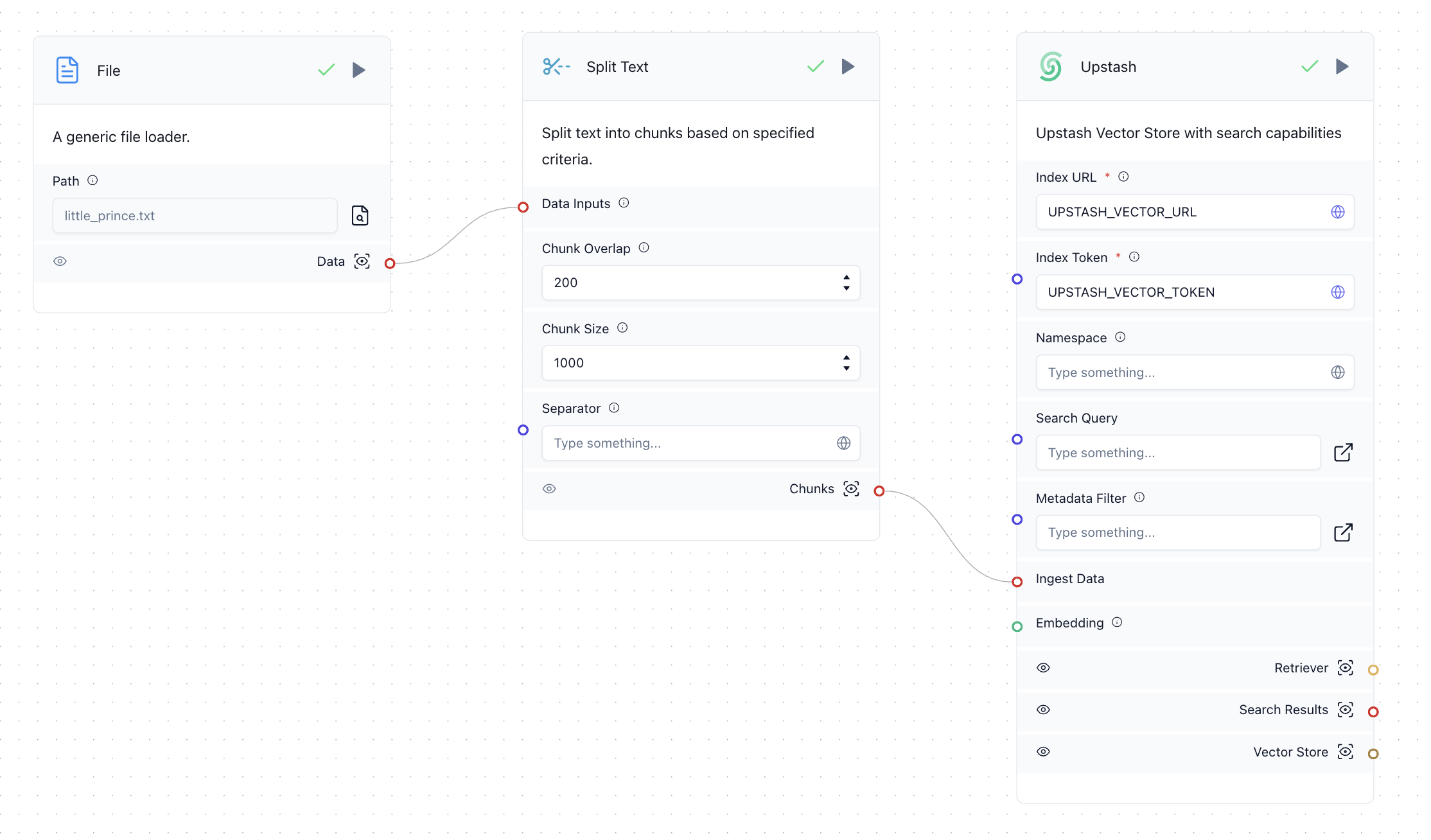
1. Create a workflow with the **File**, **Split**, and **Upstash** components to process and store documents in the Upstash Vector index.
2. Perform a vector search by connecting the **Upstash** component to your query input.
## Install
To get started, install Langflow and Upstash Vector locally or use the Langflow dashboard from [DataStax](https://www.datastax.com/products/langflow). For local installation, run:
```bash theme={"system"}
pip install langflow upstash-vector
```
## Usage
### Creating an Upstash Vector Index
Visit the [Upstash Console](https://console.upstash.com/vector) to create a vector index. To learn more about index creation, you can check out [this page](https://docs.upstash.com/vector/overall/getstarted).
### Adding Upstash Vector to Langflow
In Langflow, you can integrate Upstash Vector for document indexing and semantic search. Use the following steps:
1. Create a workflow with the **File**, **Split**, and **Upstash** components to process and store documents in the Upstash Vector index.
2. Perform a vector search by connecting the **Upstash** component to your query input.
 ### Example Workflow
Enhance your chatbot by combining Langflow’s OpenAI integration with Upstash Vector. Create a RAG workflow to retrieve relevant context from your index and use it to answer user queries.
## Learn More
For a detailed guide on building a RAG chatbot with Langflow and Upstash Vector, check out this [blog post](https://upstash.com/blog/langflow-upstash-vector).
### Example Workflow
Enhance your chatbot by combining Langflow’s OpenAI integration with Upstash Vector. Create a RAG workflow to retrieve relevant context from your index and use it to answer user queries.
## Learn More
For a detailed guide on building a RAG chatbot with Langflow and Upstash Vector, check out this [blog post](https://upstash.com/blog/langflow-upstash-vector).