> ## Documentation Index
> Fetch the complete documentation index at: https://upstash.com/docs/llms.txt
> Use this file to discover all available pages before exploring further.
# Build Stateful Applications with AWS App Runner and Serverless Redis
> This tutorial shows how to create a serverless and stateful application using AWS App Runner and Redis
AWS App Runner is a container service where AWS runs and scales your container
in a serverless way. The container storage is ephemeral so you should keep the
state in an external data store. In this tutorial we will build a simple
application which will keep the state on Redis and deploy the application to AWS
App Runner.
### The Stack
* Serverless compute: AWS App Runner (Node.js)
* Serverless data store: Redis via Upstash
* Deployment source: github repo
### Project Setup
Create a directory for your project:
```
mkdir app_runner_example
cd app_runner_example
```
Create a node project and install dependencies:
```
npm init
npm install ioredis
```
Create a Redis DB from [Upstash](https://console.upstash.com). In the database
details page, copy the connection code (Node tab).
### The Code
In your node project folder, create server.js and copy the below code:
```javascript theme={"system"}
var Redis = require("ioredis");
const http = require("http");
if (typeof client === "undefined") {
var client = new Redis(process.env.REDIS_URL);
}
const requestListener = async function (req, res) {
if (req.url !== "/favicon.ico") {
let count = await client.incr("counter");
res.writeHead(200);
res.end("Page view:" + count);
}
};
const server = http.createServer(requestListener);
server.listen(8080);
```
As you see, the code simple increment a counter on Redis and returns the
response as the page view count.
### Deployment
You have two options to deploy your code to the App Runner. You can either share
your Github repo with AWS or register your docker image to ECR. In this
tutorial, we will share
[our Github repo](https://github.com/upstash/app_runner_example) with App
Runner.
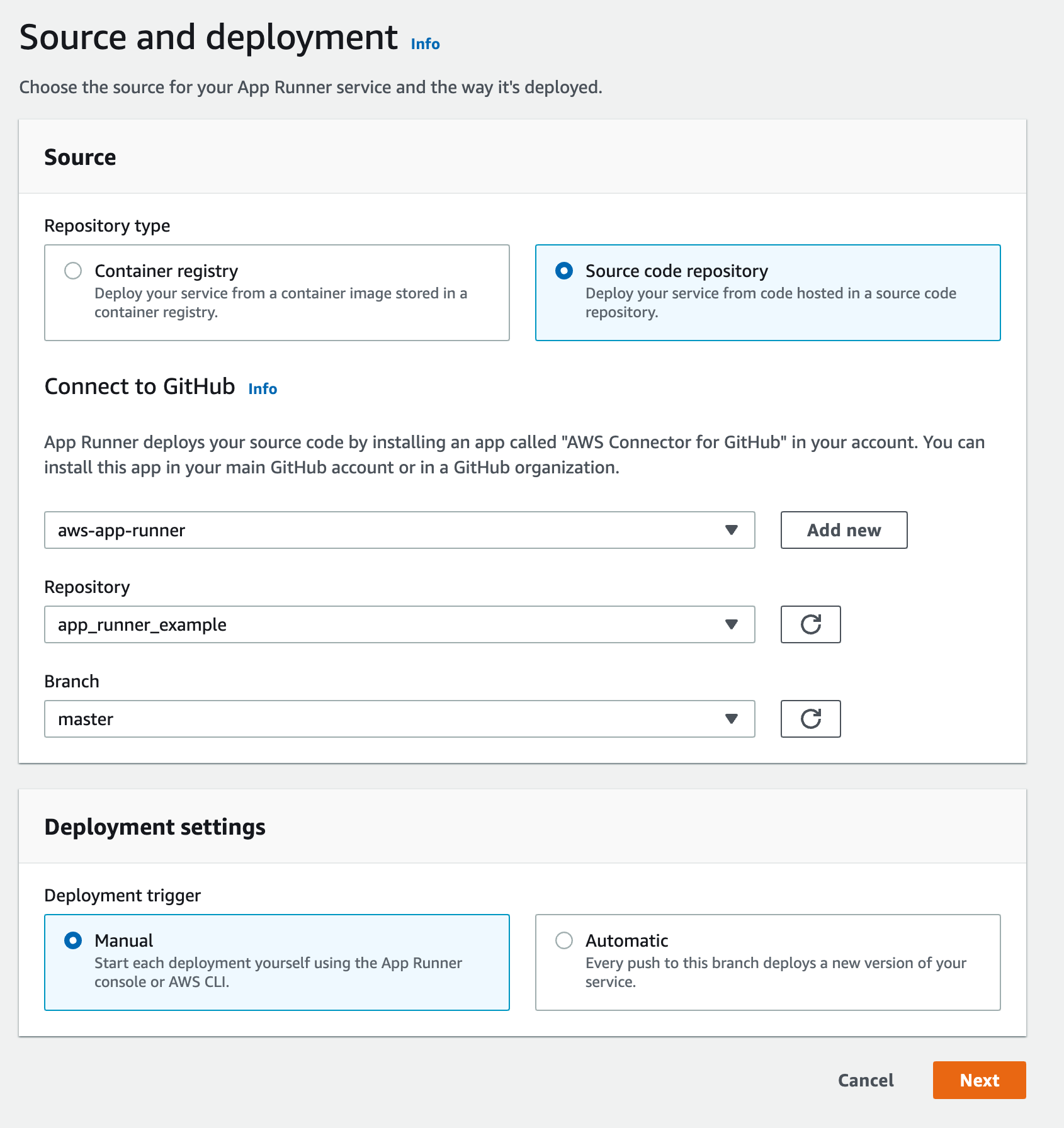
Create a github repo for your project and push your code. In AWS console open
the App Runner service. Click on `Create Service` button. Select
`Source code repository` option and add your repository by connecting your
Github and AWS accounts.
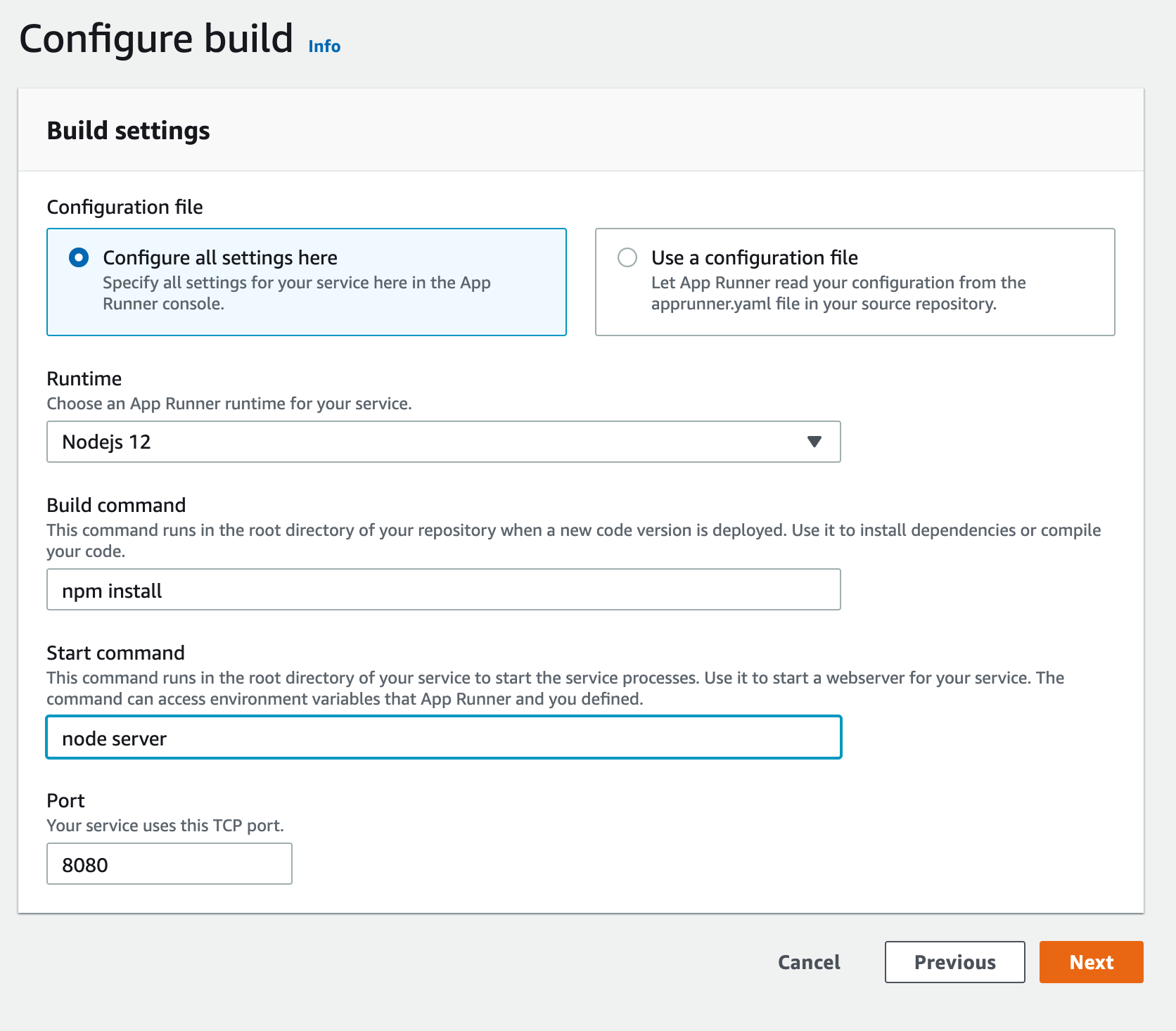
 In the next page, choose `Nodejs 12` as your runtime, `npm install` as your
build command, `node server` as your start command and `8080` as your port.
In the next page, choose `Nodejs 12` as your runtime, `npm install` as your
build command, `node server` as your start command and `8080` as your port.
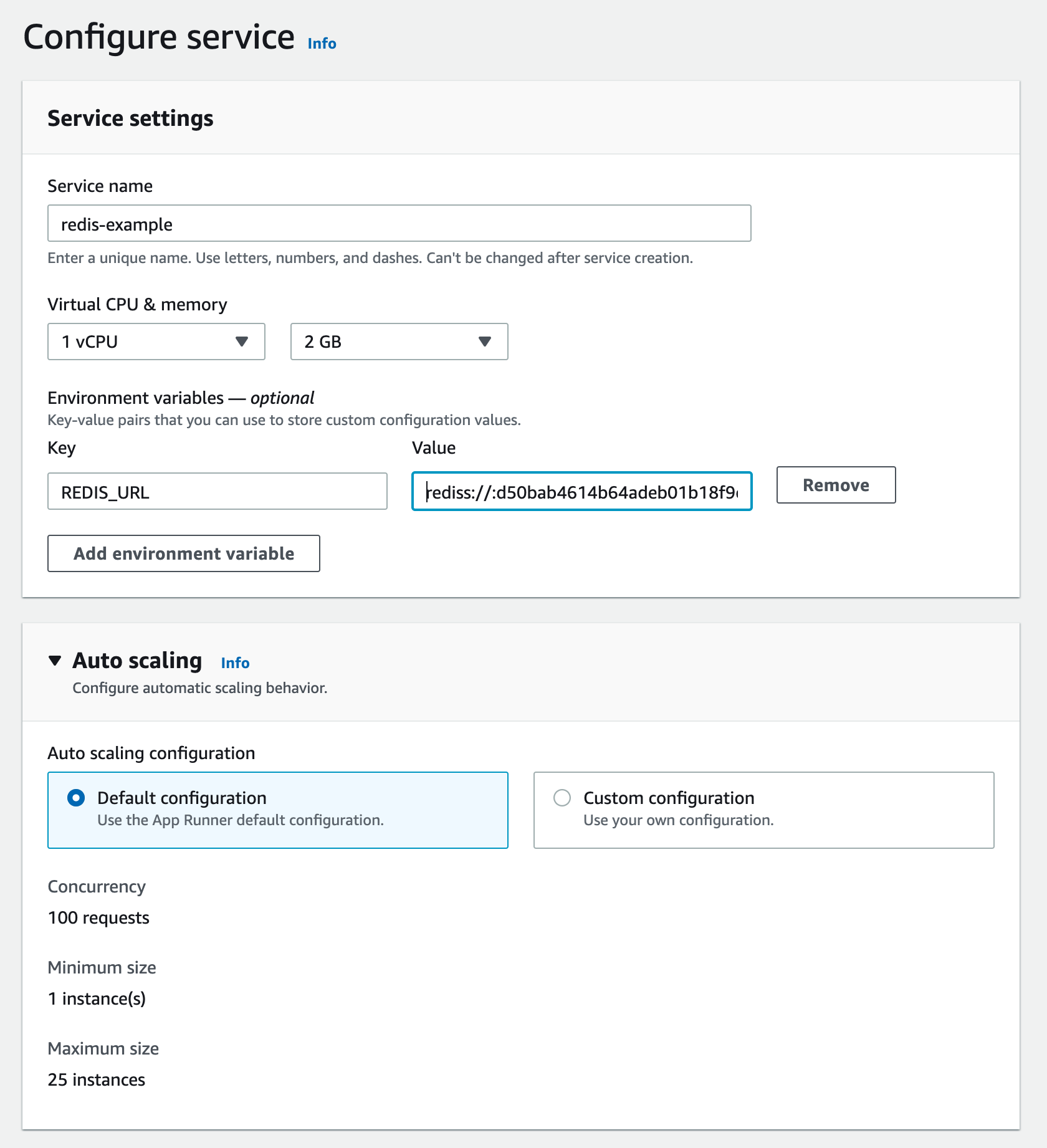
 The next page configures your App Runner service. Set a name for your service.
Set your Redis URL that you copied from Upstash console as `REDIS_URL`
environment variable. Your Redis URL should be something like this:
`rediss://:d34baef614b6fsdeb01b25@us1-lasting-panther-33618.upstash.io:33618`
You can leave other settings as default.
The next page configures your App Runner service. Set a name for your service.
Set your Redis URL that you copied from Upstash console as `REDIS_URL`
environment variable. Your Redis URL should be something like this:
`rediss://:d34baef614b6fsdeb01b25@us1-lasting-panther-33618.upstash.io:33618`
You can leave other settings as default.
 Click on `Create and Deploy` at the next page. Your service will be ready in a
few minutes. Click on the default domain, you should see the page with a view
counter as [here](https://xmzuanrpf3.us-east-1.awsapprunner.com/).
### App Runner vs AWS Lambda
* AWS Lambda runs functions, App Runner runs applications. So with App Runner
you do not need to split your application to functions.
* App Runner is a more portable solution. You can move your application from App
Runner to any other container service.
* AWS Lambda price scales to zero, App Runner's does not. With App Runner you
need to pay for an at least one instance unless you pause the system.
App Runner is great alternative when you need more control on your serverless
runtime and application. Check out
[this video](https://www.youtube.com/watch?v=x_1X_4j16A4) to learn more about
App Runner.
Click on `Create and Deploy` at the next page. Your service will be ready in a
few minutes. Click on the default domain, you should see the page with a view
counter as [here](https://xmzuanrpf3.us-east-1.awsapprunner.com/).
### App Runner vs AWS Lambda
* AWS Lambda runs functions, App Runner runs applications. So with App Runner
you do not need to split your application to functions.
* App Runner is a more portable solution. You can move your application from App
Runner to any other container service.
* AWS Lambda price scales to zero, App Runner's does not. With App Runner you
need to pay for an at least one instance unless you pause the system.
App Runner is great alternative when you need more control on your serverless
runtime and application. Check out
[this video](https://www.youtube.com/watch?v=x_1X_4j16A4) to learn more about
App Runner.