> ## Documentation Index
> Fetch the complete documentation index at: https://upstash.com/docs/llms.txt
> Use this file to discover all available pages before exploring further.
# Get Started with Google Cloud Functions
### Prerequisites:
* A GCP account for Google Cloud functions.
* Install [Google Cloud SDK](https://cloud.google.com/sdk/docs/install).
* An Upstash account for Serverless Redis.
### Step 1: Init the Project
* Create a folder, then run `npm init` inside the folder.
### Step 2: Install a Redis Client
Our only dependency is redis client. Install go-redis via `npm install ioredis`
### Step 3: Create a Redis Database
Create a Redis database from Upstash console. **Select the GCP US-Central-1 as
the region.** Free tier should be enough. It is pretty straight forward but if
you need help, check [getting started](../overall/getstarted) guide. In the
database details page, click the Connect button. You will need the endpoint and
password in the next step.
### Step 4: The function Code
Create index.js as below:
```javascript theme={"system"}
var Redis = require("ioredis");
if (typeof client === "undefined") {
var client = new Redis("rediss://:YOUR_PASSWORD@YOUR_ENDPOINT:YOUR_PORT");
}
exports.helloGET = async (req, res) => {
let count = await client.incr("counter");
res.send("Page view:" + count);
};
```
The code simply increments a counter in Redis database and returns its value in
json format.
### Step 5: Deployment
Now we are ready to deploy our API. Deploy via:
```shell theme={"system"}
gcloud functions deploy helloGET \
--runtime nodejs14 --trigger-http --allow-unauthenticated
```
You will see the URL of your Cloud Function. Click to the URL to check if it is
working properly.
```shell theme={"system"}
httpsTrigger:
securityLevel: SECURE_OPTIONAL
url: https://us-central1-functions-317005.cloudfunctions.net/helloGET
```
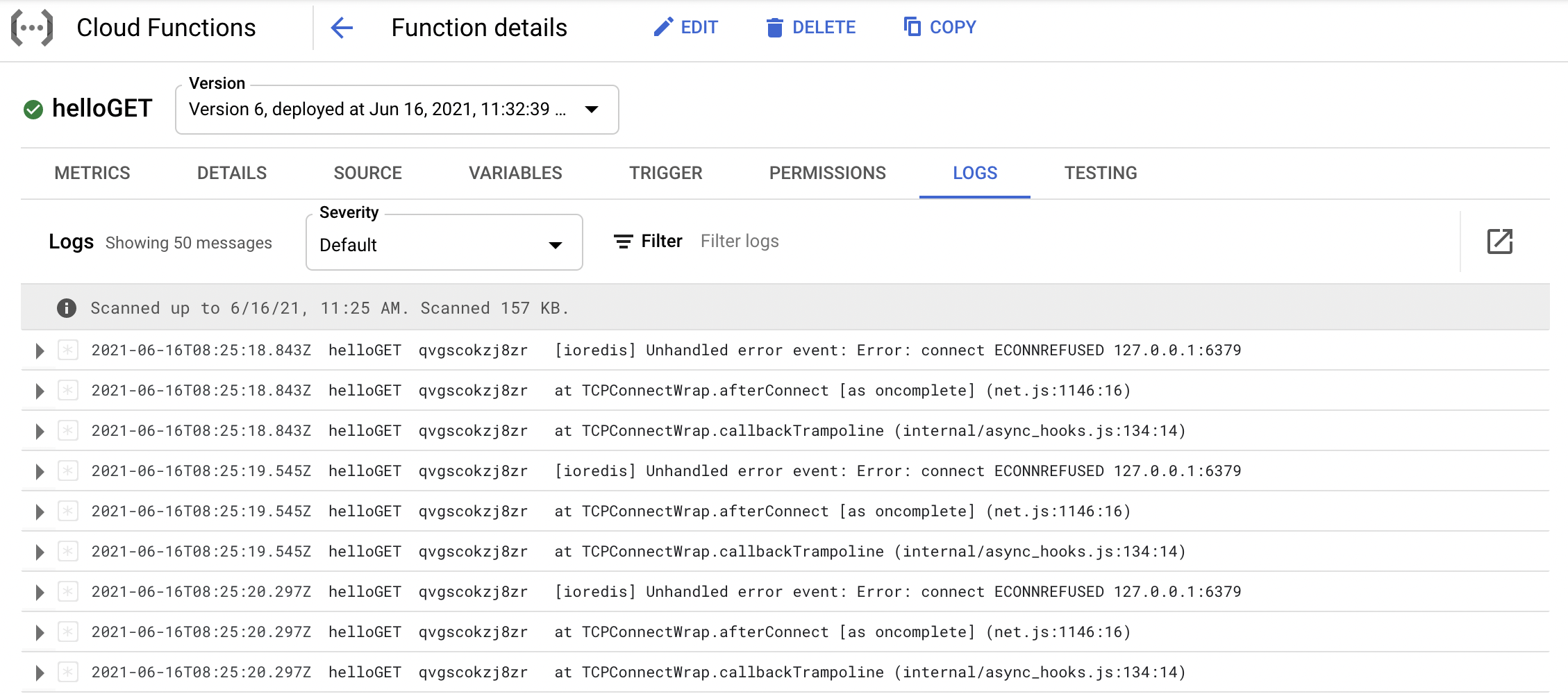
In case of an issue, you can check the logs of your Cloud Function in the GCP
console as below.