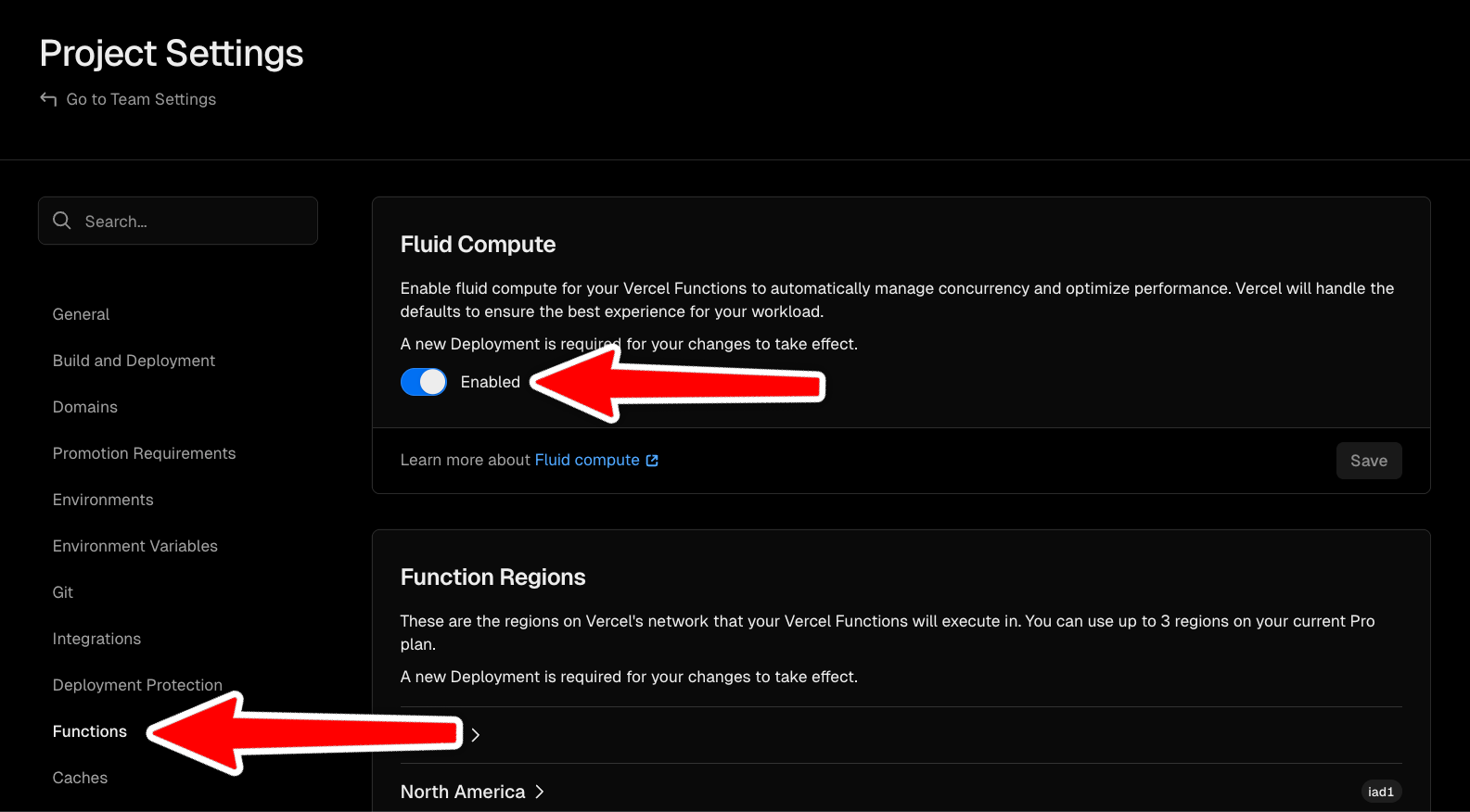
 ## Optional: Configure Max Duration
You can configure the maximum duration for your realtime connections:
```typescript lib/realtime.ts theme={"system"}
import { Realtime } from "@upstash/realtime"
import { redis } from "./redis"
export const realtime = new Realtime({
schema,
redis,
maxDurationSecs: 300,
})
```
The default is 300 seconds (5 minutes), which works well with Vercel's Fluid Compute. After this interval, the client will automatically reconnect. Redis auto-replays all messages sent during reconnect.
## Billing Example
Traditional serverless connection billing:
```plaintext Serverless Billing theme={"system"}
Connection duration: 5 minutes
Billing: 5 minutes = $$$
```
Upstash Realtime with fluid compute:
```plaintext Fluid Compute Billing theme={"system"}
Connection duration: 5 minutes
Active processing: 2 seconds
Billing: 2 seconds x CPU cost = $
```
## Automatic Reconnection
The client automatically reconnects before your function timeout:
```tsx page.tsx theme={"system"}
"use client"
import { useRealtime } from "@/lib/realtime-client"
export default function Component() {
const { status } = useRealtime({
events: ["notification.alert"],
onData({ event, data, channel }) {},
})
return
## Optional: Configure Max Duration
You can configure the maximum duration for your realtime connections:
```typescript lib/realtime.ts theme={"system"}
import { Realtime } from "@upstash/realtime"
import { redis } from "./redis"
export const realtime = new Realtime({
schema,
redis,
maxDurationSecs: 300,
})
```
The default is 300 seconds (5 minutes), which works well with Vercel's Fluid Compute. After this interval, the client will automatically reconnect. Redis auto-replays all messages sent during reconnect.
## Billing Example
Traditional serverless connection billing:
```plaintext Serverless Billing theme={"system"}
Connection duration: 5 minutes
Billing: 5 minutes = $$$
```
Upstash Realtime with fluid compute:
```plaintext Fluid Compute Billing theme={"system"}
Connection duration: 5 minutes
Active processing: 2 seconds
Billing: 2 seconds x CPU cost = $
```
## Automatic Reconnection
The client automatically reconnects before your function timeout:
```tsx page.tsx theme={"system"}
"use client"
import { useRealtime } from "@/lib/realtime-client"
export default function Component() {
const { status } = useRealtime({
events: ["notification.alert"],
onData({ event, data, channel }) {},
})
return Status: {status}
} ``` ## Message Delivery Guarantee Upstash Realtime is powered by Redis Streams, so no message is ever delivered twice or gets lost. Every message is guaranteed to be delivered exactly once. 1. Client establishes connection and subscribes to stream 2. Client initiates reconnection before function timeout (default every 5 mins) 3. Redis auto-replays all messages sent during reconnect