> ## Documentation Index
> Fetch the complete documentation index at: https://upstash.com/docs/llms.txt
> Use this file to discover all available pages before exploring further.
# Global Replication
> Global Replication for Low Latency and High Availability
Upstash Redis automatically replicates your data to the regions you choose, so your application stays fast and responsive-no matter where your users are.
Add or remove regions from a database at any time with zero downtime. Each region acts as a replica, holding a copy of your data for low latency and high availability.
***
## Built for Modern Serverless Architectures
In serverless computing, performance isn't just about fast code—it's also about fast, reliable data access from anywhere in the world. Whether you're using Vercel Functions, Cloudflare Workers, Fastly Compute, or Deno Deploy, your data layer needs to be as distributed and flexible as your compute for best performance.
Upstash Global replicates your Redis data across multiple regions to:
* Minimize round-trip latency
* Guarantee high availability at scale
...even under heavy or dynamic workloads. Our HTTP-based Redis® client is optimized for serverless environments and delivers consistent performance under high concurrency or variable workloads.
As serverless platforms evolve with features like in-function concurrency (e.g. [Vercel's Fluid Compute](https://vercel.com/fluid)), you need a data layer that can keep up. Upstash Redis is a globally distributed, low-latency database that scales with your compute, wherever it runs.
***
## How Global Replication Works
To minimize latency for read operations, we use a replica model. Our tests show sub-millisecond latency for read commands in the same AWS region as the Upstash Redis® instance.
**Read commands are automatically served from the geographically closest replica**:
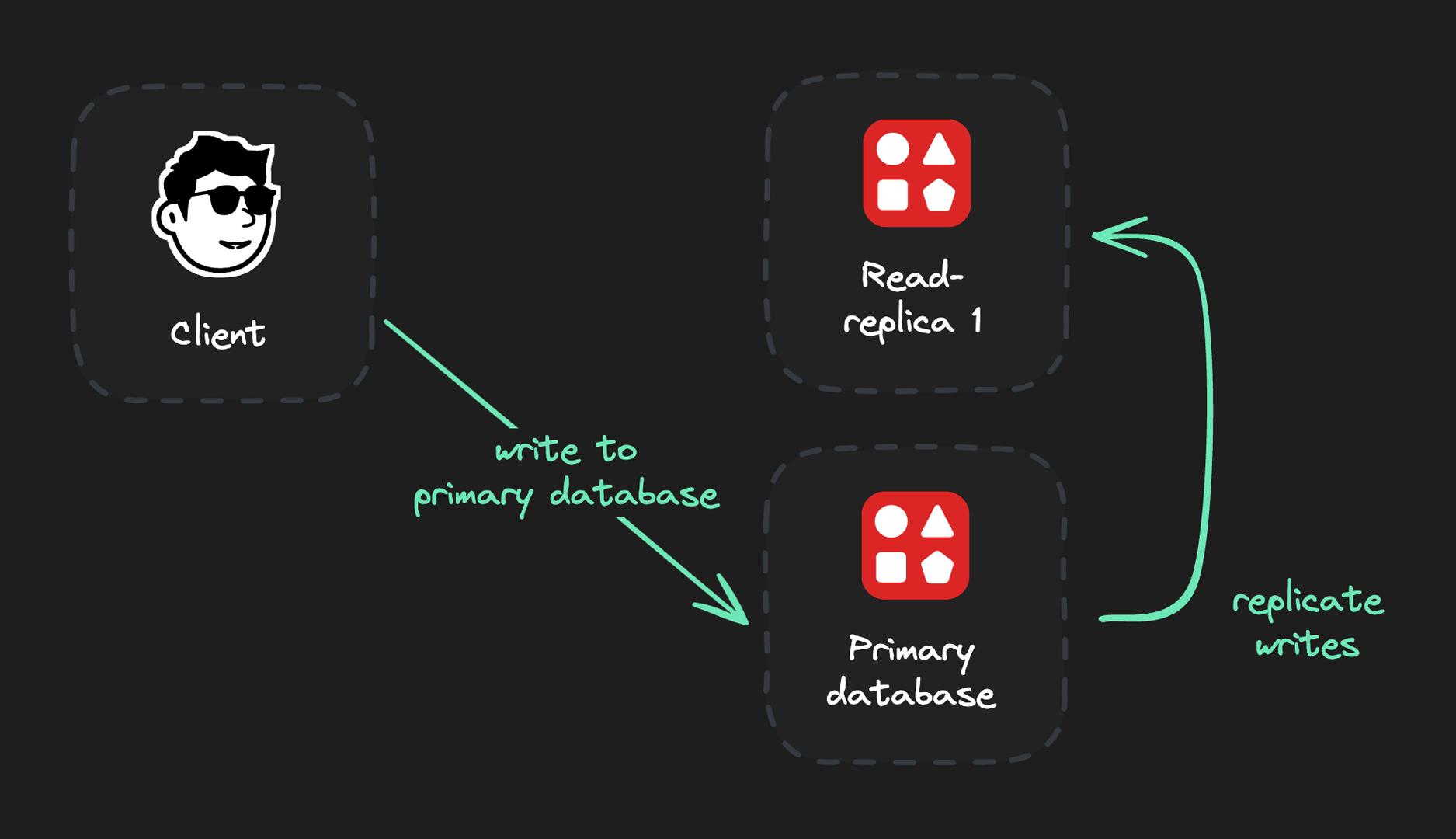
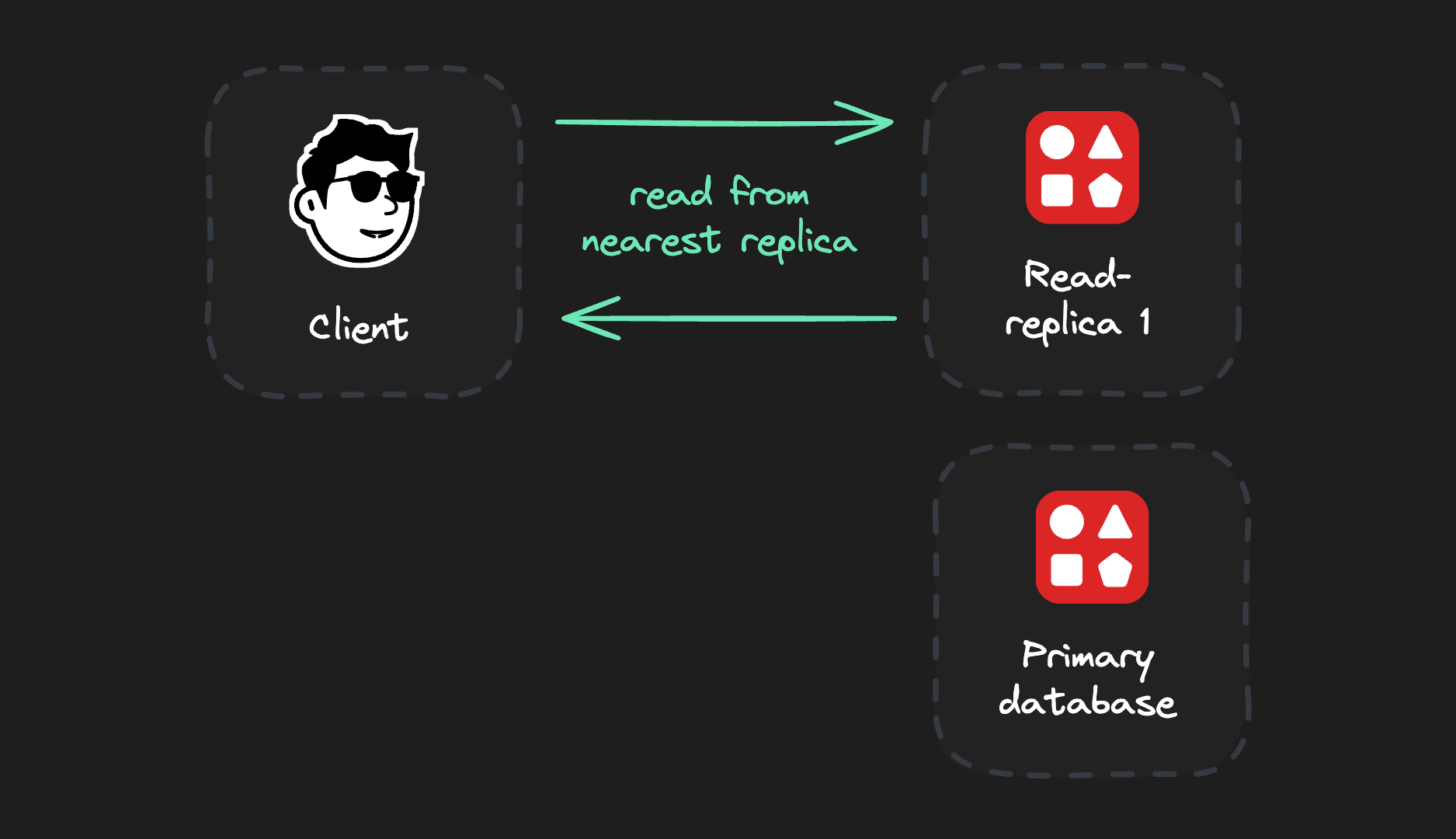 **Write commands go to the primary database** for consistency. After a successful write, they are replicated to all read replicas:
 ***
## Available Regions
To create a globally distributed database, select a primary region and the number of read regions:
* Select a primary region for most write operations for best performance.
* Select read regions close to your users for optimized read speeds.
Each request is then automatically served by the closest read replica for maximum performance and minimum latency:
***
## Available Regions
To create a globally distributed database, select a primary region and the number of read regions:
* Select a primary region for most write operations for best performance.
* Select read regions close to your users for optimized read speeds.
Each request is then automatically served by the closest read replica for maximum performance and minimum latency:
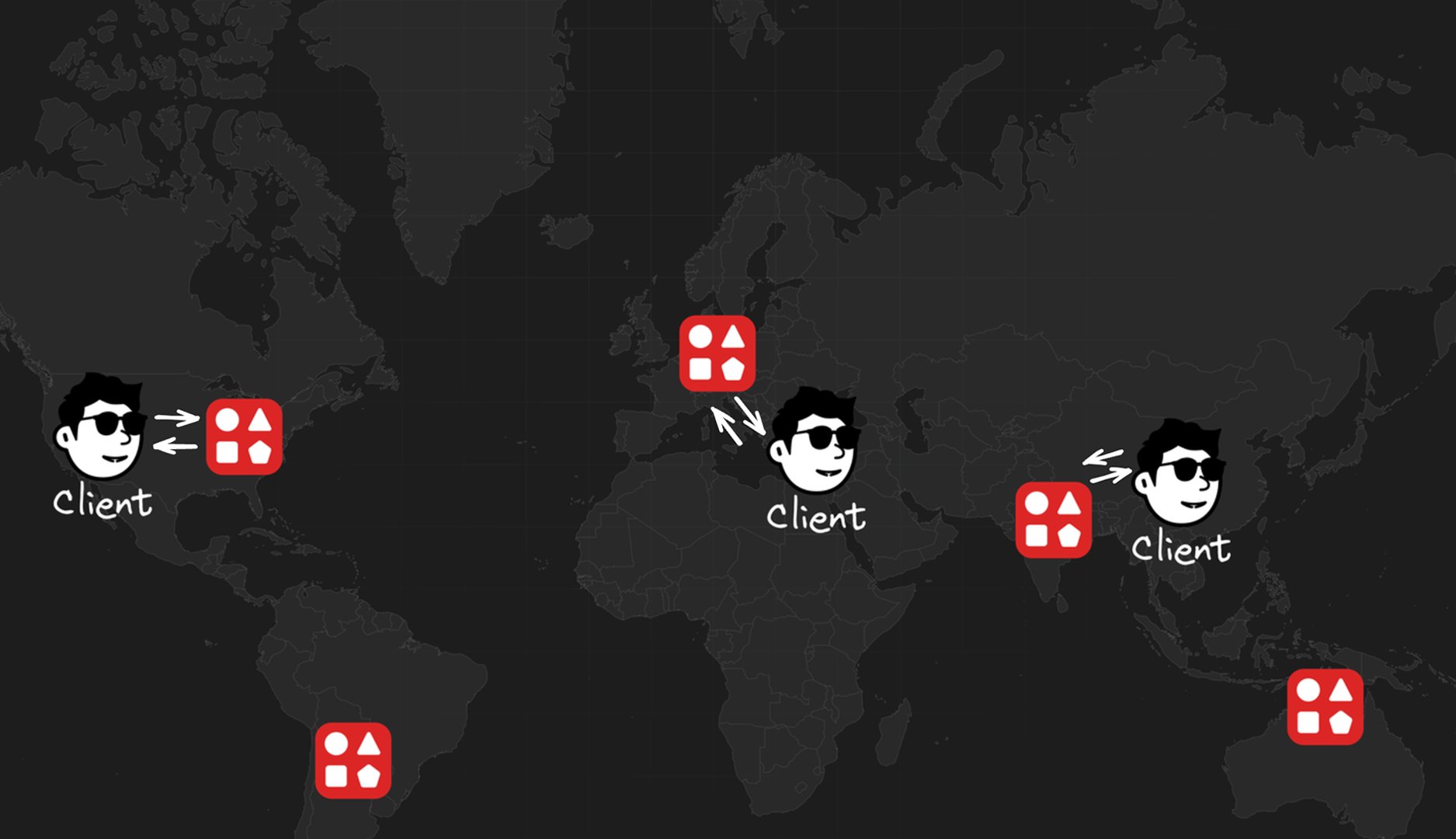 **You can create read replicas in the following regions:**
* AWS US-East-1 (North Virginia)
* AWS US-East-2 (Ohio)
* AWS US-West-1 (North California)
* AWS US-West-2 (Oregon)
* AWS EU-West-1 (Ireland)
* AWS EU-West-2 (London)
* AWS EU-Central-1 (Frankfurt)
* AWS AP-South-1 (Mumbai)
* AWS AP-Northeast-1 (Tokyo)
* AWS AP-Southeast-1 (Singapore)
* AWS AP-Southeast-2 (Sydney)
* AWS SA-East-1 (São Paulo)
Check out [our blog post](https://upstash.com/blog/global-database) to learn more about our global replication philosophy. You can also explore our [live benchmark](https://latency.upstash.com/) to see Upstash Redis latency from different locations around the world.
**You can create read replicas in the following regions:**
* AWS US-East-1 (North Virginia)
* AWS US-East-2 (Ohio)
* AWS US-West-1 (North California)
* AWS US-West-2 (Oregon)
* AWS EU-West-1 (Ireland)
* AWS EU-West-2 (London)
* AWS EU-Central-1 (Frankfurt)
* AWS AP-South-1 (Mumbai)
* AWS AP-Northeast-1 (Tokyo)
* AWS AP-Southeast-1 (Singapore)
* AWS AP-Southeast-2 (Sydney)
* AWS SA-East-1 (São Paulo)
Check out [our blog post](https://upstash.com/blog/global-database) to learn more about our global replication philosophy. You can also explore our [live benchmark](https://latency.upstash.com/) to see Upstash Redis latency from different locations around the world.